Wednesday, March 26, 2014

Microsoft New Enterprise Mobility Suite is on the way...

Today I read this new post from ZDNet from our Microsoft veteran Mary Jo Foley, where she updated about the upcoming release of Office for IPAD suite along with the new Enterprise Mobility Suite from Microsoft team for centrally managing iPads, iPhones, Android devices, Windows devices and more in a single window targeting the Large Enterprise Customers. MDM is now everywhere in today's IT world and every Organization is bound to use mobile devices for accessing Corporate data and Applications on the move along with this now BYOD is on the top of it, where Organizations now allow users to bring their own devices and access the data anywhere on any device, this puts some overhead on the current setup and management where we need to concentrate more on regulatory compliance and Information Security.

To address the above said challenges Microsoft other product vendors have developed strong MDM  and MAM solutions that can manage these devices from one central location, but not all of them met the requirement from one to another as customer requirement varies from one another.



With this new Enterprise Mobility Suite Microsoft is planning to go one step further in making it a strong MDM solution that can address most Organizations needs and we can expect an update on this by tomorrow Webcast from Microsoft CEO Satya Nadella, check the ZDNet post below to know more. We can see that Microsoft is reach out like ever before and innovation goes beyond imagination.

Access here:  Microsoft to unveil Enterprise Mobility Suite alongside Office for iPad

*Read this below TechNet Blog post from Microsoft Brand Anderson Corporate VP updating about the future of Enterprise Mobility.

Success with Enterprise Mobility: The Evolution of Enterprise Mobility

Tuesday, March 25, 2014

New Vulnerability issue with Microsoft Word!!!

Microsoft team released their latest security update where a hacker can gain control over your system when you access a RTF document using MS-Word which is a specially crafted with the vulnerability that will allow remote code execution during the access and cause potential threats, Microsoft team published a Security Advisory Bulletin on this issue and also released a support KB article that contains the fixit which disables opening RTF content with Word. Proper fix will be published soon with the monthly security updates as updated in the bulletin.


Access the Security Advisory here : Microsoft Security Advisory (2953095)

Access the MS KB here : Microsoft security advisory: Vulnerability in Microsoft Word could allow remote code execution

One more good fix available from WindowsITPro 

Blocking RTF Format Files in Word 2013 Using GPO

Update:

Microsoft team addressed this issue in this week patch Tuesday (8th April) along with other vulnerabilities, more information is available in the below Security Bulletin

Microsoft Security Bulletin Summary for April 2014

Microsoft Exchange Server 2013 Hybrid Deployment Help File!

Recently I was reading few articles on deploying and managing  Exchange 2013 Hybrid Environment and as I already manage a Hybrid Exchange 2010 Environment  sooner or later we would need to upgrade to the new version both On premises and Cloud as everyone on the future Road-Map, so while reading I started to  review most of the information available in TechNet and various other great resources available from the community. While collecting the resources I came across this beautiful Help file on Exchange Server 2013 Hybrid deployment on a Russian Exchange forum, This help file is a collective Information of articles available for Hybrid deployment in the TechNet along with few vital notes from the author which really makes it a good read and must have document when you start reading about Exchange 2013 based Hybrid deployment.

I am sharing this Help file for your knowledge and you can start reading this from today because it contains collection of required information under a single window and available for offline viewing in PDF format. I will be soon starting to write some vital posts on Exchange Hybrid deployments which will give you required knowledge to deploy and manage the Hybrid Exchange Environment.

Below is the download link for the file obtained from http://www.exchangeFAQ.ru and documented by Pavel Nagaev . 


Note: Since this Help file is a cumulative collection of information obtained from TechNet I would request you to review the TechNet articles for Exchange 2013 Hybrid deployment post reading this help file to get new updates as the article keeps updated with the new enhancements and changes made in the product which is a known fact.

Access TechNet here : Exchange Server 2013 Hybrid Deployments

Microsoft System Center: Network Virtualization and Cloud Computing E-Book

When it comes to Virtualization now the hot topic is not about virtualizing servers now its about Virtualizing networks which we term as Network Virtualization and in today's IT world Cloud Computing is everywhere when you move to Cloud whether its a Hybrid or a private or even a Public cloud Networking plays a major role and today we can see the word SDN (Software-Defined Networking) often because its a software driven world now and we don't much rely only on the hardware devices which were used for network communications as before and we have much simplified environment design made with the help of these new Technologies and you can refer my Virtualization and Cloud Computing section on the blog to know more on these topics.


Today I am sharing this new Free E-book published yesterday by Microsoft press on Microsoft Sytem Center which is a must one for us to read and inhere they provide you some in depth view on how the new Hyper-V Network Virtualization works and assisting their SDN strategy.


Monday, March 24, 2014

Analyzing Office 365 Mailbox Migration Performance

Today Microsoft team released the new script named AnalyzeMoveRequestStats.ps1 for analyzing the mailbox migration performance with Office 365. When it comes to Hybrid deployment moving the mailbox to and fro from On premise to cloud is a regular task and when you migrate your On premises environment to Office 365 the initial painful thing is the mailbox migration which will take ages if you don' t have the right configuration as guideline by Microsoft.


Moving mailboxes is now become a bit easy with Exchange Server 2013 where you can move a set of mailboxes as batches and manage the migration at ease and generate reports on the migration once completed. With this being said, this new Script from Microsoft is a add-on that will provide clear analysis report on the Mailbox migration status with the current environment over which Administrators can take appropriate action on getting things fixed at the right time to make the migration a smooth journey.

The latest EHLO blog post published for this script clearly explains how to read the details from the report along with the major gotchas to watch for when we plan for migration and much more in a nutshell

Access this post to download the script and know more : Mailbox Migration Performance Analysis

Also review the Exchange Online Migration Performance and Best Practices TechNet article to know more on the factors that will affect the migration in detail

Exchange Online Migration Performance and Best Practices

Along with this Blog post and TechNet review the below TechTarget post from our renowned MVP Steve Goodman on troubleshooting slow mailbox moves with Office 365, out there for a while which I read long back and sharing the same here for your additional knowledge.

Check here: Simple ways to troubleshoot slow mailbox moves to Office 365

Windows Azure becomes Microsoft Azure!!!

Microsoft team continue to innovate new enhancements to their product line as ever before, along with this now re-branding of their products are happening at a faster rate too, recently they renamed their Cloud based Storage Solution the popular "Sky Drive" to "One Drive" and now they planned to rename their Cloud Platform "Windows Azure" to "Microsoft Azure" they rename this for a good reason as the name implies that only Windows based platforms are supported on Azure wherein we can even run Linux and various other application Platforms on Azure and this really make sense to their decision. This is the hot topic that's going around in the IT World and we can soon expect the official announcement from Microsoft.

I am sharing this information here from my end to you after reading the latest ZDNet post from none other than our Mary Jo Foley.


Read the full post here: Microsoft to rebrand 'Windows Azure' as 'Microsoft Azure'

Update:

Here comes the Official Announcement from Microsoft team on the MSDN Blog as follows, Windows Azure will be renamed to Microsoft Azure, beginning April 3, 2014

Check here: Upcoming Name Change for Windows Azure

What's behind Office 365?

When it comes to Cloud Computing the very first thing comes to our mind is Office 365, Microsoft's largest cloud based offering which now dominates the IT Market and most Organizations have migrated to Office 365 and some are leveraging the benefits by deploying a Hybrid based solution that gave them the flexibility to manage both the environments seamlessly.

What is behind Office 365 ? was the question that remains with most of us, we all know that they are the same set of servers we use On premises with respect to Lync, Exchange and SharePoint. The High Availability and Site Resilient design along with their strong DataCenter Architecture that spans across the world and seamless integration among various product line at ease and bundled together with their service offerings makes them unique amongst their competitor products in the Cloud Market.


Microsoft always Innovate new things and with Office 365 its now more than what we could expect and you can refer my earlier blog posts under the office 365 section to know more on the present and the future road-map. In today's post I am going to reference you to the latest SharePoint Conference 2014 session on our topic in which the architecture behind Microsoft Office 365 is revealed for customers and you can take a look at how things are designed and working behind the walls of Microsoft Office 365 datacenter and the rich customer experience they provide along with much more information for IT Pros to know and stay one step a head in understanding the reality behind the product they support and how things actually work, at end of the day nothing is hidden and as always Technology is meant to be shared.
 
Download the presentation here: A behind the scenes look at Office 365 for IT Pros Presentation

Access the Video session here : A behind the scenes look at Office 365 for IT Pros

Wednesday, March 19, 2014

Certificate Planning in Exchange 2013

Just before few minutes Microsoft team published the new EHLO Blog post which is continuation in series of articles published for Exchange Server 2013 namely Load balancing, Namespace planning , Client Connectivity and now its on Certificate Planning. Ross written this post using various scenarios which will cover the requirements for SSL cert names that needs be there based on the Organization's Infrastructure design and how they can utilize the new features with Exchange Server 2013 and also address how you need to carefully choose the right cert names if you have a Co-existence environment and also expand across different sites and adopt High availability and Site resilience.


Certificates play a vital role with any Exchange deployment and every admin should be aware about the various certificates available for usage and how they vary from one another and which one to choose for the correct requirement etc. and to begin read the TechNet blog post referenced below explaining on the topic descriptively.

Check here: Digital Certificates and SSL

If you read the earlier blog posts in the series you will clearly have more idea on how Exchange Server 2013 supports new deployment features and also simplifies most of the requirements in terms of both cost and architectural simplification without compromising High Availability and End user experience.

You can additionally refer the blog posts where I referenced to my own blog posts under Exchange Server section pointing to the Original posts when they released with additional contents to read to make you gain some more information on the topics which puts you one step further to know things more clear with the past an the present.

Check the blog post here: Certificate Planning in Exchange 2013

Refer my earlier blog post to know the importance of SSL Certificates from Symantec which is an add-on read to know more.

Check here : SSL Certificates Live Infographic Poster from Symantec


Tuesday, March 18, 2014

How to setup Multiple Office 365 Tenants in a Single Active Directory with Steve Goodman!!!

I recently read this excellent post from our renowned MVP Steve Goodman on Search Exchange Forum in TechTarget on Using multiple Office 365 tenants with a single Active Directory and this reading puts you one step beyond the traditional reading we do for managing and implementing Office 365. I would call this is a good and a must read for every Office 365 Administrators to know things out of the box when we face new challenges during a complex design requirement of a customer per his current Infrastructure setup and to know what needs to be looked out first to complete his requirement through adequate knowledge and successfully implement a solution which meet their current standards and also pay way for future upgrades.


let's get in to our topic, one more key feature with Office 365 now is the support for Multiple Tenants with Single Active Directory, there are scenarios where customer Organization is split across different regions and they required to manage different locations separately and have seamless experience without any network overload and do not interested in changing their present setup for new implementations. In this scenario, some customers still prefer to have multiple Office 365 Tenants and ready to deploy additional servers if needed and spend some additional cost but their end motive is we should not re-architect their current setup and should not cause any impact to the End user and Business Experience. Though this is possible there are some caveats to look for and Steve wrote this excellent blog post to show you how things will work when you go for such model and what you should do as an Administrator when working on such projects.

Check the article here : Is a single Office 365 tenant better than using multiple tenants?

Additional Bytes:

You need to know one more key feature which is made possible with Office 365 Hybrid deployment for customers using Multiple SMTP domains using the right version of On premises Exchange Server 2010/2013 products on their environment for Autodiscover, which is an add-on read and I missed to blog about this on time and sharing this here.

Microsoft team made a recent innovation with Exchange Server 2013 and Exchange Server 2010 SP3 RU1 or later, wherein you have the new Autodiscover domain feature, which typically assist Hybrid customers who are using multiple SMTP domains in their environment to save cost by removing the requirement for having all the SMTP domains on the SSL cert which was previously a  mandate requirement and with this releases you can utilize the feature and setup one of your Primary SMTP domain as the Autodiscover domain name and the rest of the domains will be added automatically and configured to use the Primary SMTP domain for autodiscover settings when you run the HCW and this really a great deal for most of the Hybrid Customers.

I got this update from our renowned Office 365 MVP Sean McNeill on his blog. 

Refer the post here to know more: Office 365 Hybrid Configuration with Multiple SMTP Domains

Also read the below ExitCodeZero blog post on this feature with additional information,

Using the Autodiscover Domain feature to enable multiple SMTP domains in your hybrid configuration

Finally, With the latest release of Exchange Server 2013 SP1 we have now support for Multiple Active Directory Forest with Office 365 Hybrid deployment, check my earlier blog post on the same.

Review this TechNet blog post below to know more on these topics and get your Q & A addressed.

Multi-Forest and Multi-Tenant scenarios with Office 365

Update:

Steve started to write another Excellent series on Setting up a multi-forest hybrid Exchange deployment this year 2015, review this series to know more.

Access here : Setting up a multi-forest hybrid Exchange deployment

These are great Innovations with Office 365 for now and we can expect more in the upcoming days.

Update:

If you are looking to know how to Migrate mailboxes and service settings from one Office 365 tenant to another, the below blog post will be the best source to begin.

Access here: How to migrate mailboxes from one Office 365 tenant to another

Stay tuned for more updates...

Exchange Online Protection (EOP) Enhancements Webcast

Its now time for us to attend one more Ignite Webcast scheduled for this week Thursday March 20th 2014 9:00 AM PST and this is over the new enhancements made by Microsoft team to the Exchange Online Protection(EOP).

FOPE to EOP migration is already kicked off and major Tenants are migrating now rapidly. FOPE support will soon end by mid of this year post which you will be left alone with EOP and already many of us know what the difference is between FOPE and EOP and what new changes it has brought in. EOP is not new as it is  already in use either as a stand-alone service or with Office 365 for a while now after its initial release. You can refer my Office 365 section to get some handful of information on EOP.

Recently, Microsoft team made new enhancements to EOP and this attracted most of the customers as few features that were available with FOPE are removed from EOP which is now added back let say, Directory based Edge-blocking for example. You can refer my earlier post Exchange Online Protection Enhancements! on this topic and this webcast is over the same and inhere you can see things live in action, here more from the experts and get your Queries addressed.


Access here: Exchange Online Protection (EOP) Enhancements

Monday, March 17, 2014

Get your Free Hybrid License Key from Microsoft!!!

Now Office 365 is gaining  momentum as ever before, Organizations already using this service getting new enhancements day by day, you can refer my earlier posts on the Office 365 section and also take a look at the Office Blogs for detailed information regarding the innovations and enhancements made to the product in the recent months, with all this being said most of the Larger Enterprises are still evaluating to get migrated to Cloud and best way everyone including Microsoft suggest for Larger Enterprises is to adopt Hybrid Deployment model, this model gives us the flexibility of managing both the On premises and Office 365 Environment seamlessly.


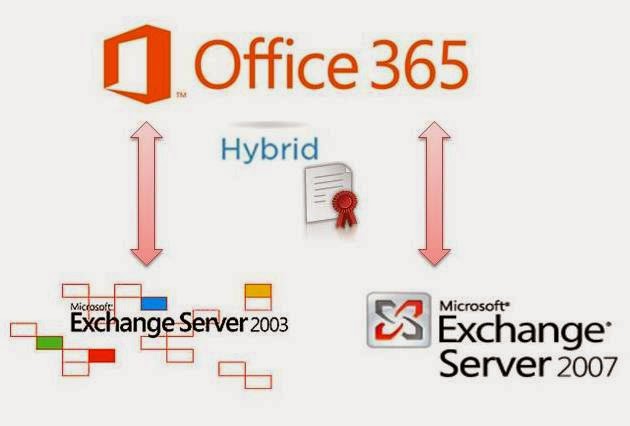
Whether you are Exchange 2003/2007/2010/2013 On premises customer you are eligible to go for Office 365 with Hybrid deployment provided you met few criteria which will be available in the knowledge base article from Microsoft which I am about to share and on which this blog post is written. The most deployment model I saw and worked with is Exchange 2010 based Hybrid model and Microsoft team with the release of Exchange Server 2013 recommends us to install a Exchange Server 2013 multi-role server and deploy the Hybrid environment this can be made possible if your On premises Exchange server version is either Exchange Server 2007 or 2010 with the latest service pack and URs and if you are a Exchange Server 2003 customer you can still go for Hybrid deployment by installing Exchange Server 2010 SP3 on to your Environment and start the migration because you cannot install Exchange 2013 on to a 2003 environment which is a known limitation by design.

Microsoft made the Hybrid License key free for Organizations that are migrating from Exchange Server 2003 or 2007 and this is free for the one's who will be deploying and utilizing the Exchange Server 2010/2013 server for Hybrid purpose alone and also you need to have a valid Office 365 Enterprise subscription. Microsoft recently updated the below Knowledge base article to guide you how to obtain it and also the requirements for you to met to go for this free license with suggested links to follow for a successful Hybrid deployment as an ad-on.

Access the KB here: How to obtain an Exchange Hybrid Edition product key for your on-premises Exchange 2007 or Exchange 2003 organization

Microsoft Office Configuration Analyzer Tool 1.2 now Available!!!

Microsoft team recently released the new version of Microsoft Office Configuration Analyzer Tool with the version 1.2 and this is a quite handy tool for Administrators to troubleshoot common issues with Microsoft Office products proactively and resolve issues on time with out additional analysis on most part and this eventually benefits both On premises and Office 365 environments.


Download the tool here: Microsoft Office Configuration Analyzer Tool 1.2 

You can review the earlier version release EHLO blog post to know what this tool can do as an overview and this latest version adds some additional enhancements to the earlier version.

Review here: Office Configuration Analyzer Tool (OffCAT) version 1.1 is now available

Update: Microsoft team published the latest EHLO Blog post on the new version release of OFFCAT today March 18th along with the reference to Technical documentation, check it out now to know more, refer the above article for the earlier release and compare the same with the new one to know the difference.

Check here: Upgrade to Office Configuration Analyzer Tool (OffCAT) version 1.2

Also review the MS Knowledge base article on how to install and use OFFCAT.

Check here: Office Configuration Analyzer Tool (OffCAT) information

Update:

OffCAT is updated with latest enhancements and by June 2016, you have the latest version 2.2

Access the Official Blog post here: Upgrade to Office Configuration Analyzer Tool (OffCAT) version 2.2

Thursday, March 13, 2014

Good Week for O365 Customers!!!

This week is quite a good one for Office 365 customers as Microsoft team made few significant Enhancements one after the other day by day and this strongly proves that they are innovating more and more on their Road-map, with this being said, soon we can expect some more additional features on the way and if you are one of the customer then stay tuned on the Office blogs to know what is coming next and validate the same to know what makes the difference.


Updates released this week for your quick preview...

Introducing codename Oslo and the Office Graph

Announcing Office 365 Personal: A new way to access Office 365!

Discover Calendar Search in Outlook Web App

Enhanced text editor in Outlook Web App

Compact message header in Outlook 2013

Watch out for more...

Wednesday, March 12, 2014

Client Connectivity in an Exchange 2013 Coexistence Environment

This is post is reference to the latest EHLO Blog post on Client Connectivity in an Exchange 2013 Coexistence Environment written by our Ross Smith IV [MSFT]. Major Changes made to the way how Client connects from Exchange 2007 to 2010 and then to 2013 and its good to know what changed and how they all behave when they present in the same Environment and design the solution accordingly and either have a Co-existence setting for a long term or have it deployed properly till the migration completes.


To begin with this you need to have some fundamental knowledge on the client connectivity changes between different version of Exchange  and how Autodiscover is utilized and how CAS to CAS proxying and Re-direction methodology works and what behavioral changes you will expect when you have different flavors of Exchange present within your Exchange Organization at different AD sites and User Experience when they connect from various sites using various resources and most important how the DR will occur if you have one created for your Environment.

 Ross clearly explains the changes between an Exchange 2007 and 2010 Co-existence environment and how things will occur when you place a Exchange 2013 server which adds little bit more complexity and provides you all the required resources to refer and pain points to consider with various real-time scenarios that you can refer and design your solution and most importantly things are changing at rapid rate today and these vital knowledge on Client connectivity is a must known for all Administrators who manage the Exchange Environment, I would request you to review this post from top to bottom and also read related resources available and referenced to get yourself ready to face any complex deployment scenario, end of the day "User Experience Matters"

Read the Blog post here : Client Connectivity in an Exchange 2013 Coexistence Environment 

In Addition to this Read one of Ross's Old EHLO blog post on RPC Client Access Cross-Site Connectivity Changes to get some Insight on how client connectivity was working prior Exchange 2010 SP2 RU3 in Cross site scenario which will cover some additional  aspects on the topic.

Tuesday, March 11, 2014

SSL Certificates Live Infographic Poster from Symantec

Today I received this update from Symantec regarding their latest Live Infographic Poster on SSL Certificates, This was an awesome innovation from Symantec where it contains all the important resources on SSL and the latest news on the Encryption Technology under a single window, designed effectively to give your more information on the topic and provide access the required resources at ease.
In today's IT world Information Security is the more vital one and every Organization is spending more amount of resources on this part as they cannot compromise this at any cost. Unfortunately in the recent days Information Security violation is happening at high cost by Hackers around the world who are now more powerful than ever before and breaking the system though we have strong firewall and other Security mechanism and there are Organizations who are still untouched because of their strong security system by all means from a regular browser visit, critical Email communication to all the other transactions carried out through proper security mechanism like SSL , TLS and much other latest and greatest Encryption Technology. In the next generation Internet world we need to keep our resources safe at all costs with proper security mechanism and if you are planning for it then this resource for Symantec will be the best place to start to know more and do more.


Access the Live Infographic poster here : SSL Certificates Expained  from Symantec

Additionally, download the below Whitepaper on TLS/SSL Best practices from Symantec.

WHITE PAPER: BEST PRACTICES AND APPLICATIONS OF TLS/SSL