Tuesday, September 09, 2014

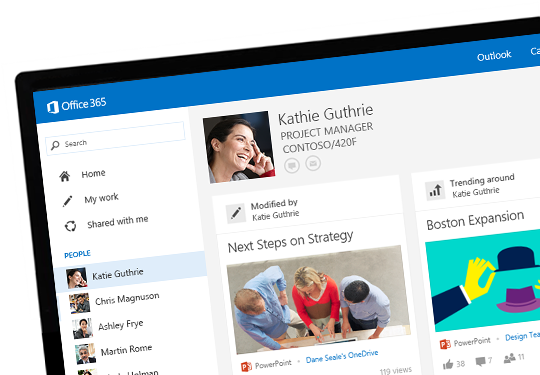
Delve is coming...

Microsoft's most awaited innovation for Office 365 "Delve" has started to roll out to customers from today and people who opted for first release experience can enable and preview this in their environment and for all the E1 to E4 customers it will get roll out as standard release in months and we can expect it to get completed by early 2015 and for Office 365 Business Essentials, Business Premium, Small Business, Small Business Premium and Midsize Business customers, first release rollout will begin in January 2015.


Review the Official Announcement here : A milestone for Office Delve

Read the FAQ Section for more details and watch the quick video which explains how Delve will enhance your Search experience with the power of Office Graph and take your work experience to the next level.

Additionally, Review this below Walk-through post from Benoit Hamet MVP showing you how to enable this feature if you have opted for the first release programme.

Office 365 – Delve is now available in preview

One more Excellent Walk-through from Corey Roth MVP 

A quick look at Delve in Office 365

Microsoft Team is hosting Delve YamJam on Wednesday, September 10th from 9:00 – 10:00 a.m. PDT (4:00 – 5:00 p.m. UTC) to discuss on Delve and Office Graph announcements. Join the Delve group in Yammer to participate.

Update: 

New boards feature is now available for Delve as new innovation for Office 365 in Jan 2015.

Introducing boards in Office Delve—a new way to organize and share work

Sunday, September 07, 2014

Migrate Your Environment to Office 365 for Free...

I am writing this post with reference to the latest announcement from Microsoft team for Office 365, which is the hot topic discussed everywhere in the IT Industry, Microsoft has come up with a new offer to assist customers to migrate to Office 365 for free, They named this as Office 365 FastTrack Onboarding CenterOffer available only to New customers purchasing 150 seats or more of a qualified license purchase. Also this is a limited period offer effective from September 1 2014 till March 31, 2015.


Key features of the Office 365 FastTrack Onboarding Center:
  • Direct remote assistance provided by an Office 365 onboarding expert who will assist with critical onboarding activities working with customers and partners.
  • Robust suite of automated checks and configuration tools to enable tasks such as current state assessment, identity management, and domain configuration.
  • Onboarding support will be available in the following languages: English, Chinese, French, German, Italian, Japanese, Brazilian, Portuguese, and Spanish.
  • Available worldwide starting September 1, 2014.
Review the Official Announcement here :  Announcing Office 365 deployment benefits for new customers

Learn more on the Office 365 Onboarding Benefit Process from the MSDN blog post below


Check here: Office 365 Onboarding Benefit Process

Many Organizations are happy with this new offer from Microsoft and getting ready to move to Office 365, If you are planning to move to Office 365 then this is the right time to get things started. Time is running....

Saturday, September 06, 2014

Kerberos Authentication issue with Mixed Windows Server 2003 and Windows Server 2012 R2 Domain Controllers!!!

Windows Server 2003 is reaching its end of life soon which is a renowned topic, Most of the Organizations already started to prepare for the migration and there a plenty of resources, guideline and support published by Microsoft team to assist this migration. On the other hand its still not so easy to remove these Legacy servers from the environment if we still have some dependencies and most of the major Organization falls in to this category and to make things worse we have a new issue reported recently by multiple customers globally, which made a lot of environments who are already on their migration roadmap to get impacted and few to stop this migration, eventually caused when they have a mixture of Windows Server 2003 and 2012 R2 domain controllers co-exist in the environment.


When you have a mixture of Windows Server 2003 and Windows Server 2012 R2 Domain controllers in the environment serving the same domain causes Kerberos authentication to fail intermittently and users are unable to log on to the domain and it becomes bit difficult for the admins to troubleshoot as this issue occurs intermittently. Finally the bug was reported to Microsoft team and a fix was made available recently to address this issue.

Microsoft Active Directory team published a detailed information on the cause and workaround in their blog initially to update the Organizations on this new issue and to assist the Administrators who come across this issue in their environment and now its updated with the hotfix information. Reviewing this below post will provide you more insight on the issue.

Access the Blog post here: It turns out that weird things can happen when you mix Windows Server 2003 and Windows Server 2012 R2 domain controllers

Access the Hotfix here: Can't log on after changing machine account password in mixed Windows Server 2012 R2 and Windows Server 2003 environment

I am writing this post a bit late and this now become an known issue and reached the community, thought of updating this in my blog so that readers who reach here and new to this issue will get to know on this and utilize the available resources to take necessary action.

Friday, September 05, 2014

Directory Integration Tools Feature Comparison

Microsoft team now provides various synchronization tools to Sync your On premises Directory objects to Azure. I recently came across this MSDN article that provides feature comparison between each tool and showing us their current capabilities along with the future enhancements on its way.


Below are the tools that are compared in this article
  • Azure Active Directory Synchronization Tool (DirSync)
  • Azure Active Directory Synchronization Services (AAD Sync)
  • Forefront Identity Manager 2010 R2 (FIM)
Dirsync is the common tool that is used with Office 365 and with the latest version few new features added and they are covered in this article. FIM is used with Complex multi-forest scenarios and still few Organizations utilizes this in their setup. Finally, AAD Sync which is the latest tool still under beta and will soon be reaching its General Availability and replace Dirsync and FIM requirement with its robust capabilities.

This article is categorized as shown below, Available features under each category is compared between the tools.
  • On-Premises to Cloud Synchronization
  • Cloud to On-Premises Synchronization
  • Authentication Feature Support
  • Set-up and Installation
  • Filtering and Configuration

Access the Comparison article here:  Directory Integration Tools Feature Comparison

What does "Federation" means in Office 365?

The term "Federation" refers to the relationship between two different Organizations, where they mutually agree up on some standards and decide to share their resources with each other.  This is a common term used in today's Technology and when it comes to Office 365 we have this used at various areas and its good to know what they are and how they work.


Federation with Office 365 as said above falls in to the 3 categories as shown below.
  • Identity Federation 
  • Federation Trust 
  • Lync Federation
When you are an On premises Exchange Customer and denote that your federation is not working, this will normally refer to the Free/Busy lookup not working with your partner Organization and the same applies to On premises Lync where this eventually point out to traditional Lync Federation issues with external partners. From my experience very rarely we will come across Identity Federation issues with ADFS or with any other equivalent identity platforms in a On premises environment. So, when we have all of these platforms available at one place bundled together with Office 365 and you use this phrase " Federation issue" its not clear to which one you point to and we need to be specific when we quote this here to make things clear on the other end.

Identity Federation

When it comes to Office 365 most of the Organizations prefer Single Sign-on along with some granular control over their Identity management and rely on ADFS. To accomplish this we enable Identity Federation with Office 365 and when we do this our Domain becomes federated and the source of Authority for Identity Management becomes your On premises and your ADFS servers becomes the most critical components in the Entire Environment to make things work with the Service.

Mostly when you say federation not working with Office 365, it refers to ADFS federation and below Office Blog post provides you more insight on this model. Also refer the Microsoft Knowledge base article that outlines how to repair and update the ADFS federation when you have issues.

Access here: Choosing a sign-in model for Office 365

MS KB : How to update or repair the settings of a federated domain in Office 365, Azure, or Windows Intune


Federation Trust

When we say Federation Trust it points out to the Free/busy Lookups between two different Organizations federated with Microsoft Federation Gateway, this implies to Hybrid deployment where you have this federation Trust established between your On premises Exchange Environment and Exchange Online.

When you setup your Hybrid deployment this Federation trust will get created automatically between your Organization and Exchange Online from Exchange 2010 SP2 and later versions, prior to this with SP1 this was configured manually and with the latest changes soon MFG will be discontinued and the new OAuth protocol will be used to setup this federation and Organization relationship.

Review here for more information : Configure Federated Sharing

Follow this below Microsoft Knowledge base article to troubleshoot when you have issues with federated sharing.

Free/busy lookups stop working for users in a cross-premises environment or in an Exchange hybrid deployment

Lync Federation :

Finally, we have our Lync Federation, Federation process with Lync Online is similar to On premises Lync Environment where we establish federation with External partners, Additionally, we can have Lync Federation established between our On premises Lync Environment and Lync Online in a Hybrid setup. Review the below TechNet article and my earlier blog post to know more.

Configure federation of Lync Server 2013 with Lync Online

Setting up Federation with Lync On-Premises and Lync Online

Wednesday, September 03, 2014

Administration Roles in Office 365

Office 365 administration can be delegated in terms of assigning users to the appropriate Admin roles available with the service for managing the environment effectively.


Office 365 admin roles include
  • Billing admin
  • Global admin
  • Password admin
  • Service admin
  • User management admin
Each Admin role has different set of access and we can utilize the below TechNet article to know more on each role along with its extension in each Online Service.

Access here: Administration Roles in Office 365

Sunday, August 31, 2014

Managing Exchange Online MVA Series

When it comes to Exchange Server Administration On premises we tend to rely on EMC with Exchange Server 2007 and 2010 environments and EAC with Exchange Server 2013 for GUI and our Exchange Management Shell (EMS) for managing all these environments in common from Command line. For most of the Administrators managing the environment using PowerShell seems to be an easy and a reliable way wherein few are still preferring the GUI for most of the common tasks. Eventually both of these becomes your daily bread and butter for managing the Exchange environment and the same are carried out for managing Exchange Online.


Exchange Online management is similar to your On premises management but you will not have a complete control over everything and managing things as you would do in your traditional On premises environment. Since all your Servers are hosted in Microsoft datacenters in Cloud you will have minimum control over their management this applies to both fully hosted and Hybrid deployment. Exchange Online on the other hand gives you the flexibility of managing most of the critical configurations and recipient management for your day to day activities using Office 365 Admin Portal and via Remote PowerShell connecting to Exchange Online.

Today I am sharing reference to two vital video series available from Microsoft Virtual academy on Managing Exchange Online through Online Console and PowerShell which will give you an Overview of how both the management methods help you to manage Exchange Online effectively and both the series shows some vital management tasks in detail. Review both of the these video series to get more insight on Exchange Online management.


Topics Covered
  •     Managing Exchange Online Using Microsoft Online Console: (01) Getting Started with Exchange Online
  •     Managing Exchange Online Using Microsoft Online Console: (02) Configuring Mail Flow
  •     Managing Exchange Online Using Microsoft Online Console: (03) Managing Recipients
  •     Managing Exchange Online Using Microsoft Online Console: (04) Managing Client Connectivity
  •     Managing Exchange Online Using Microsoft Online Console: (05) Configuring Administrative Security
  •     Managing Exchange Online Using Microsoft Online Console: (06) Compliance, Auditing, Journaling, and More
  •     Managing Exchange Online Using Microsoft Online Console: (07) Protection Settings

Access the Course here : Managing Exchange Online Using Microsoft Online Console


Topics Covered
  •     Managing Exchange Online Using PowerShell: (01) Getting Started with Exchange Online
  •     Managing Exchange Online Using PowerShell: (02) Configuring Mail Flow
  •     Managing Exchange Online Using PowerShell: (03) Managing Recipients
  •     Managing Exchange Online Using PowerShell: (04) Managing Client Connectivity
  •     Managing Exchange Online Using PowerShell: (05) Configuring Administrative Security
  •     Managing Exchange Online Using PowerShell: (06) Compliance, Auditing, Journaling, and More
  •     Managing Exchange Online Using PowerShell: (07) Protection Settings

Access the Course here : Managing Exchange Online Using PowerShell

Tuesday, August 26, 2014

Exchange Server 2013 CU6 Released!!!

Microsoft team released Exchange Server 2013 CU6 today along with Update Roll-up 7 for Exchange 2010 SP3 and Update Roll-Up 14 for Exchange Server 2007 SP3 with various fixes and new significant updates. Along with these traditional updates this time we have new Exchange Server 2013 CU6 UM Language Packs released as an add-on.

More information is available on the Exchange Team Blog posts referenced below along with the links for downloading the Updates and Issues Fixed Article IDs.
 

==============================================================================

Direct Download Link: Cumulative Update 6 for Exchange Server 2013 (KB2961810)

Issues fixed - Article ID: 2961810

Direct Download Link: Exchange Server 2013 CU6 UM Language Packs

=============================================================================


Direct Download Link: Update Rollup 7 For Exchange 2010 SP3 (KB2961522)

Issues fixed - Article ID: 2961522

==============================================================================


Direct Download Link: Update Rollup 14 for Exchange Server 2007 Service Pack 3 (KB2936861)

Issues fixed - Article ID: 2936861

==============================================================================

Also Microsoft team published an other significant blog post to provide us an insight on the new enhancements made to Public Folders with CU6 for Exchange Server 2013.

Public Folder Updates in Exchange 2013 CU6: Improving Scale and More

As usual first try to install the CU and Update Roll-up in your Lab environment and perform thorough testing to validate the Issues Fixed as stated under each update and also look out for any new issues you might experience to report to Microsoft on time and get it fixed before you roll out these updates to your Production Environment.

Update:

Unfortunately Exchange Server 2013 CU6 couldn't keep itself up to the standard as its predecessor CU5, It caused two major issues within few days post its release identified by our renowned MVPs. Microsoft acknowledged and confirmed that these are bugs from their end which caused a huge disappointment to the Exchange Community. Still Microsoft needs more testing and bug fixing on their end before releasing any updates to avoid unexpected issues.

Exchange Server 2013 databases unexpectedly fail over in a co-existence environment with Exchange Server 2007 - MS KB published with hot fix discovered by Ratish Nair MVP

Don't Deploy Exchange 2013 CU6 If You're a Hybrid Customer - Jeff Guillet MVP

Microsoft team released a new script that addresses the above problem updated by Jeff and fixes EAC for managing Exchange Online. 

Exchange Online mailboxes cannot be managed by using EAC after you deploy Exchange Server 2013 CU6 - MS KB published with the script.

One more new issue with ActiveSync with Exchange 2007 Co-existence environment after upgrading to CU6.


You cannot route ActiveSync traffic to Exchange 2007 mailboxes after you upgrade to Exchange 2013 CU6 - MS KB with Workaround

* One common issue with Exchange Server 2013 Litigation / In-place hold is identified recently and Microsoft team published a KB with the workaround.

Folder deletions are not preserved for mailboxes put on litigation or in-place hold in Exchange Server 2013 OWA

*One more new issue caused with CU6 below with the workaround 

Load balancer marks Exchange server as down in an Exchange Server 2013 Cumulative Update 6 environment

*Utilize this below script from MVP Michel de Rooij to install CU6 unattended, This updated script includes the above published fix for managing Exchange Online Mailboxes from EAC.

Exchange 2013 Unattended Installation Script

Monday, August 25, 2014

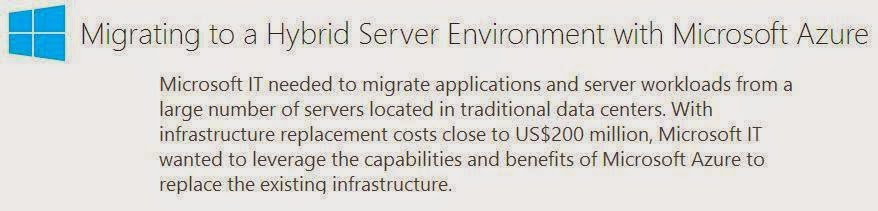
Migrating to a Hybrid Server Environment with Microsoft Azure

Microsoft Azure is the World's biggest and the best Cloud platform that's ruling today's IT World in Cloud Computing. Microsoft has made significant enhancements to Azure in the last few months that took Azure adoption to the next level making it one of the most prominent Cloud platform in the market that addresses the On demand needs of the customer and expands its features day by day adding more value to the IT business.


Microsoft team themselves migrated to Azure as they need to be their own primary customer in first place to evaluate the performance, cost benefits and reliability over the product through which they can tweak the product at various stages and also its a real time experience for them to understand things much better and show case the same to customers and provide them a service that meets their requirement.

As all of us know that we cannot completely rely on Cloud for everything and there are few dependencies with On premises and the best way to benefit out of the new Cloud platform and the existing On premises Platform is to unite them together in terms of "Hybrid" and mange both the environment seamlessly unified as one. Microsoft team used this Hybrid model with Azure and successfully moved their workloads to cloud.

Best thing about Microsoft is they do provide guidance in abundance when you plan to use their product or service that makes you gain the required knowledge and the prescribed guideline over which you can successfully test and implement their solution. The next good part is you can share your experience through customer or service improvements programme periodically over which the next version of the product is designed to address the needs of the customers on demand as "one size fits all" is not possible with the current Technology as its expanding in a rapid scale than ever before.

Today I write this post with reference to the new Business Case Study from Microsoft explaining how they successfully migrated their workload to Azure with Hybrid Cloud and provides you a clear understanding of how things occurred behind the screens during their migration, challenges faced and much more explained in a nutshell. I read this and found it useful and would say its a must read for Organizations and Administrators who are interested in adopting Cloud Computing to advance their knowledge and to know the benefits of Hybrid deployment with Microsoft Azure.


Download the case study here: Migrating to a Hybrid Server Environment with Microsoft Azure

Here comes the six part blog series  presenting how Microsoft IT is modernizing its datacenter showing the above said experience in detail.


Review the Series here: How Microsoft IT is Modernizing its Datacenter

Additionally, Microsoft team has provided various other resources that make you understand more on Hybrid Cloud and I would recommend you to review the below vital resources to know more on the topic, which puts you on the edge when you go through each one of these to experience the future of Cloud Computing with Microsoft Azure and a complete insight of how Hybrid Cloud is going to design the next version of Information Technology .

Success with Hybrid Cloud Series, Cloud Insights from Brad Anderson, Corporate Vice President, Enterprise Client & Mobility

Access the Table of Contents here: Table of Contents: Success with Hybrid Cloud

Hybrid Cloud Webinar Series, Live Interview series on Hybrid Cloud with Microsoft Technical Fellow Mark Russinovich and Microsoft Corporate Vice President Brad Anderson

Access the On demand Video session from Channel 9 here: Hybrid Cloud Series

Lets Demo IronPort today!!!

Most of you out there are familiar in working with IronPort and after Cisco acquired IronPort its now referred as Cisco Email Security and Cisco Web Security Appliance. I started reading on IronPort few days ago with my new engagement and came across various rich resources available for reading and experiencing the product from basic to advanced. While reading I came across an excellent Demo available for experiencing the IronPort management interface and see what is available inside the product for Email Security.


Though this demo is not a real time demo where you can test everything similar to your Lab environment its a great one to see how the management console looks and what are the options available for management with real time view and makes you check the options under each section for managing the configuration, reports etc. I believe this demo can be slight different than your production console but the options are quite the same.  If you don't want to mess around with your Production ESA console then this is a best one to experience the product, in case there is no Lab environment to play around. I found this quite useful and thought of writing a post to share this with you.


Access the demo here: IronPort C600 Demo

Additionally, you can register with Cisco and test the virtual appliance with a 45 day trial and also you can register with IronPort.com  to demo any Cisco IronPort product with 30 day trial period. Both applies to customers who are going to test the product and implement it in their environment and not just to use this trail for reading as there are other alternate resources available in the community.

Saturday, August 23, 2014

Getting the Most out of Your Office 365 Trial MVA Course

Get ready to experience Office 365 with the help of the new MVA course scheduled this August 26, 2014 from Microsoft. Office 365 is still new to most of our IT Folks out there as most of them know what it is but didn't get chance to explore this and in need of a visual Walk-through that will help them understand and make them experience this new Technology.


Register for the course here: Getting the Most out of Your Office 365 Trial

Thursday, August 21, 2014

Azure AD Connect Overview

When it comes to Microsoft Technologies change is constant and inevitable overtime. The best thing about these changes are they bring some new enhancements and other add-on that adds more value to the existing Technology and addresses the on-demand needs of the customers and takes their business to the next level.

 
Office 365 is once such great offering from Microsoft that is constantly changing, bringing new enhancements to the customers to address their on-demand needs and gained momentum in the Industry that made it now a widely adopted Cloud Offering by many Organizations around the world and some are getting prepared to move to Microsoft Cloud on their Road-map. To make things easier Microsoft team continue to innovate new enhancements to the product line in terms of both Service Offerings and Transition tools that makes the adoption a seamless experience. 

Lets get in to our topic, I already wrote a post when Microsoft team introduced the new AAD Sync tool which will be replacing the current Directory Synchronization Tool ( DirSync) which will have some advanced capabilities that are not available with the Existing version to address the customer requirements like advanced attribute filtering, Multi-forest synchronization support etc.


Review the post here to know more with the recent updates : New Azure Active Directory Sync Services Tool

If you read the above post I referenced along with the updates marked inside it, you will see an update regarding the new release of Azure AD Connect tool  introduced by Microsoft team. This blog post is a related post written separately with an other vital reference and to make it available as an Individual topic under my Office 365 section for readers to review this great tool without missing it as this will be the one that is going to make the Office 365 deployment a bit easier than ever.

When moving the Office 365 out of all configuration Identify management becomes the first priority and as we all know Integrating your On premise AD with Azure is not an easy task and if you go for SSO with ADFS then it adds more work than normal deployment. Performing all these requires you to have more knowledge and you need to refer a bunch of documents to begin the integration and this made most of the Organization a bit delay in moving to Cloud. To address this Microsoft launched this new Azure AD Connect tool that makes this possible with simple clicks and gets you ready to move to Cloud.

Review the below post from Active Directory team to know more on this Tool and its in Beta and you can register yourself with Microsoft Connect and download the tool and test it with your Lab Environment and share your feed back to Microsoft team


Register and Download here: Azure Active Directory Connect Beta

Microsoft Active Directory team has written an excellent article and provides you clear insight on the Tool and also gives you a visual appeal on how this Tool can be used to Integrate your On premises AD with Azure.


Review here: Connecting AD and Azure AD: Only 4 clicks with Azure AD Connect

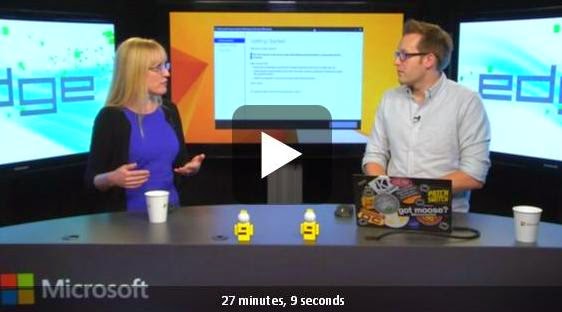
Once your reading is completed, Its time for some Walk-through video session on the topic obtained from Edge Show on Azure AD Connect and hosted by Simon May with Jen Field MSFT from the Azure AD Fabric team.


View here: Edge Show 115: Azure AD Connect

These resources I shared above will provide you suffice information on the new Tool and I will continue to update this post once I came across any new updates. Start your testing on the Tool and share your feedback to Microsoft team to add more value to the Tool before its General Availability.

Update: 

Microsoft team released the Public preview of the "new" Azure AD Connect recently which is the next gen all in one tool that is going to replace the DirSync, ADFS, the newly launched AAD Sync etc. in the road-map.

Download here:  Azure AD Connect Public  Preview

Currently this public preview version is not supported for production deployments until the next release and we can expect more in the GA which is expected in the next 90 days.

Review here for more information : Azure AD Connect: One simple, fast, lightweight tool to connect Active Directory and Azure Active Directory

Update:

*Azure Active Directory Connect Public Preview - March 2015 update released with few significant updates.

Download here: Azure Active Directory Connect Public Preview - March 2015 update

Access the AD Team Blog post on the release below,

Azure AD Connect Preview 2 is available!

Stay tuned for more updates...

Windows PowerShell Best Practices E-Book

Its time for reading one more vital E-book on Windows PowerShell, This new E-book is a great resource that teach you how to utilize the power of Windows PowerShell to automate system administration and clearly explains you with the best practices to follow with real time examples.


Download here: Windows PowerShell Best Practices E-Book

You can get the paper back from Amazon.com and have it handy to complete most of the administration tasks with Windows PowerShell effectively.

Access here:   Windows PowerShell Best Practices

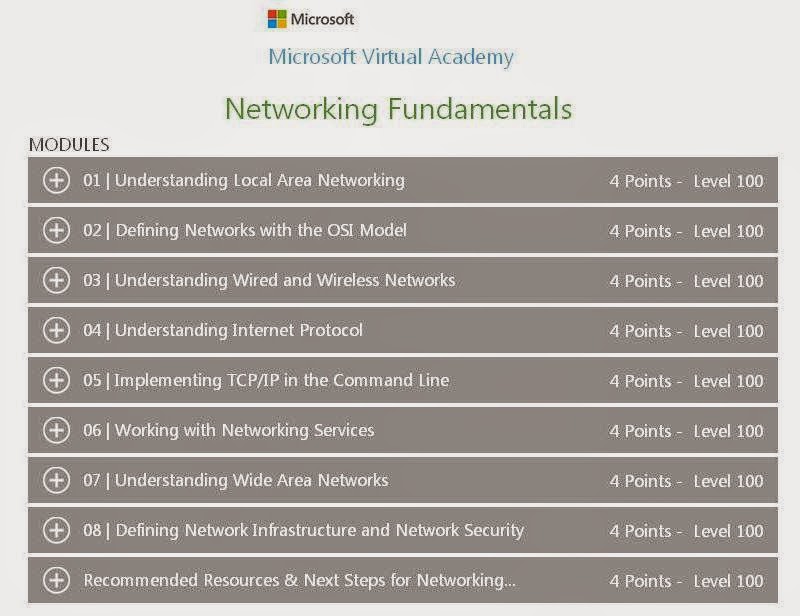
Networking Fundamentals MVA Course

Its always good to recollect thing we learned during the early stages of our career and if you are individual working as an IT Administrator or a Consultant then you would have begin your Fundamentals with Networking. As we all know Networking is the basis of what we do today in the Industry and also know how it has transformed the world to the next generation of computing in the recent years. As I said earlier it will be good if we get this fundamental knowledge refreshed once by chance to make ourselves strong with the basics again.


I recently came across this new Microsoft Virtual Academy course on Networking Fundamentals and reviewed few videos during me free time and felt good and thought of writing a post to share this with you today. This course is also helpful for you to prepare for the new MTA Exam on Networking Fundamentals.


Access the Course here: Networking Fundamentals

Friday, August 15, 2014

Getting Ready to Become an MCSA Office 365

Microsoft Certifications are not new and they are one of the highly recognized Certifications in the world today. Innovations at Microsoft is now occurring at a rapid rate to address the needs of today's Technology at every level. Having a Microsoft Certification puts you one step further in to this new era.


Microsoft team launched their "Microsoft IT Academy" and "Microsoft Certification Challenge" programme to assist Students and IT pros who are interested to become a Microsoft Certified Professional by providing adequate guidance and to motivate people to get certified and excel in today's Technology.

Lets get in to our topic for the day, I wrote this post to share some vital resources available to become a Microsoft Certified Solution Associate - Office 365.  These resources are helping me to get prepared for the exam, which I will be completing soon and thought of writing this post today to guide other aspiring individuals like me to get certified with Office 365.

Being a Office 365 Consultant and an Administrator for awhile now supporting major customers, I can very well say that to be inline with the future of Microsoft Technology you need learn and get to know how to work with Office 365. Many Major Organizations are moving to Cloud and its evident that within few years you will see Cloud occupying a huge area in Technology and people who know and work with Cloud get employed everywhere and get recognized, this doesn't mean that On premises Environment is no more. Cloud is a new emerging Technology which everyone need to be aware of and start to experience its benefits and earning a certification on this new Technology takes you to the next step.

As everyone aware that Microsoft team recently changed their Certification path and Introduced their new Certification programme like MTA, MOS etc. and also Revamped the MCSA and MCSE Exams to the next level. For our topic lets begin by understanding the Certification path available for MCSA Office 365.

 
Review here: Microsoft Certified Solution Associate - Office 365

As with every other Microsoft Certifications, Instructor Led training is available for this course to get prepared. Review the certification details for more information. 

20346A: Managing Office 365 Identities and Services

10968B: Designing for Office 365 Infrastructure


Next, Take a look at the Exam Prep video session from Microsoft hosted recently in Teched NA 2014 covering key aspects over the Examination which gets you  and Idea on how the Exam will be and makes you ready to attend the same with confidence.

 
View here: Exam Prep: 70-346 and 70-347: MCSA: Microsoft Office 365

Once you gain some insight on the Examination, Its time for us to begin our Learning with the available resources. I am sharing the resources that I use to get prepared one by one, There are more than this and these a few vital resources to my knowledge that helps you get prepared.

Apart from the Instructor led training mentioned above, Microsoft team has provided us the real time walk-through guides to learn their Technology and Experience the real time deployment and Administration via Office Ignite Guides. You can utilize this as a first resource to experience Office 365 Deployment, Migration and Administration.


Access the Guides here: Office 365 Guides

Up Next is the new Microsoft Virtual Academy course launched recently to get you prepared for the first Exam "70-346 - Managing Office 365 Identities and Services"


Access the Course here: Managing Office 365 Identities and Services

Next is your TechNet and Office Blogs which plays a major role and I believe everyone begins learning here, So I made this as the last item and included here along with other vital resources mentioned above.

Microsoft  now made these important resources available under a single window in Office TechCenter for your ease of Learning.


Access TechCenter here: Office 365 for IT pros

Office 365 Garage Series

A new add-on to the above resources from Microsoft team taking Office 365 Learning to the next level through live video series every week which is going one step further and updates us more on the latest happenings with Office 365.


Access the video Archive here: The Garage Series for Office 365

Watch out Office blogs updates on the new series every week and stay updated with the latest happenings with Office 365.

You can setup your Office 365 Trial tenant and have hands-on experience using the available resources before you appear for the Exam.

Finally, Its always good to learn from External resources, by saying this I refer to some of the Key websites, Blogs and Forums available in the Community from various MVPs and Technical Experts across the Globe who share their expertise in Office 365 Technology which puts you ahead of your Learning to know more and stay up-to date.

Refer this below Blog post related to our topic for example.

Learning guide for the Office 365 exam 70-346 

Follow Office 365 Tech in twitter and  Office 365 IT Pro Network in Yammer to get real time updates from Microsoft on Office 365.

Updates:

Here is the New update from Microsoft team announced yesterday, MCSA Office 365 will now get credited towards your MCSE certification path for Exchange, Lync and SharePoint.

Review the announcement here:  MCSA Office 365: Now an optional path to three MCSE tracks

*Also Microsoft team recently changed their Exam provider from Prometric to Pearson VUE and from September 4 2014 you can choose any of these Exam providers and effective January 1 2015 you need to register with Pearson VUE to register for the Examination.

Review the announcement here: Training Spotlight: New exam provider announced

*Get 15 % discount on MCP Exams till this year end, register to save the date.

Check here: Get Your 15% MCP Exam Discount Code

*Microsoft now offering MCSA Office365 Exam vouchers for free grab yours soon...

Get Certified on Microsoft Azure or Office365 with Free Exams

*If you miss the free Exam Voucher you can now register with Pearson VUE to get free MCP practice test

Free MCP Practice Test Offer from Pearson VUE

*Get a free Second Shot on your MCP exam !!!

You can take any Microsoft Certified Professional (MCP) exam between January 5, 2015, and May 31, 2015. with free exam retake!

Microsoft Certified Solutions Associate (MCSA) is eligible for this program and you are now all set to register and face the exam challenge.

Access here for more information : Get a free Second Shot on your MCP exam

Updates:

Access the new Exam prep guidance sessions from Microsoft Ignite Conference 2016.

BRK3255 - Cert Exam Prep: Exam 70-346: Managing Office 365 Identities and Requirements

BRK3256 - Cert Exam Prep: Exam 70-347: Enabling Office 365 Services

Be sure to know the latest Microsoft Certification updates and advance your learning path.

I believe these resources mentioned above will assist you to get prepared for the Exam and I have utilized the same and completed my MCSA Office 365 Certification successfully.  Happy Certifying !!!