Friday, April 11, 2014

Azure Active Directory Premium now Available

I am writing few posts on Cloud Computing for readers knowledge, the Technology which is now ruling the IT world, Microsoft Cloud platform "Microsoft Azure" earlier called as Windows Azure is the leading Cloud Platform in the market providing various services to the customers supporting various Technologies. Microsoft team continue to innovate more on this, as a part of their "Mobile first, Cloud first" strategy and recently they released their new Enterprise Mobility Suite  for managing Enterprise mobility with enhanced features and along with this the release, other new enhancements were announced that are arriving on its way in the upcoming days and the most notable one is the Azure Active Directory premium which provides rich identity management features for Cloud based applications. Microsoft team stated this feature will be generally available for users in April and this feature was recently released to customers' General Availability last week.

Microsoft Team updated the General Availability of Azure AD Premium through the below TechNet blog post with a quick preview on the features for ease of understanding along with the ways to obtain the service.

Check here : Azure Active Directory Premium has reached GA

Review this Official Microsoft Azure article to know the benefits for using Azure AD premium and how it varies from the Azure AD.

Check here: Azure Active Directory Premium

Additionally, read this below post on the topic from WindowsITPro forum by MVP Sean Deuby

An Overview of Microsoft Azure Active Directory Premium 

Also take a look at the below Channel9 video to know how to configure Self-Service password reset for your users with Azure AD premium.

How to configure self-service password reset for users in Windows Azure AD

*Here comes the Deep Dive blog post on the Password reset feature with Azure AD premium from Microsoft team published in Active Directory Team Blog

Deep Dive: Password Reset with On-Premise Sync in Azure AD Premium

Update:

Microsoft Active Directory team released the new Azure AD Basic today review the below blog post to know more

Azure Active Directory Basic is now GA!

Update:

Try Azure AD premium free for 90 days with $0 Subscription, to know more read the below blog post from James Evans MSFT

Sign-Up for Microsoft Azure without Using a Credit Card ($0 Subscription)

Thursday, April 10, 2014

Office 365 DNS Records Management a Quick Overview

When you plan to migrate to Office 365 the first thing you would do choose the best plan for your need and to make this ease Microsoft team created few tools which will allow you to compare various plans available and select the best one, review my earlier blog post " Overview of Office 365 Plan Selector Tool " to get to know the tools available. Once you select the plan next you will add the domain you would like to use with Office 365 and verify it, Then your next major task is to configure the External DNS Entries for the domain with the DNS hosting provider with respect to the service you chose to use which is mainly Exchange Online, Lync Online and SharePoint Online.


Microsoft team already made this task easy for customers if they want to use the domain that is already registered with "Go Daddy" in simple steps and if they don't have one they can buy it and set it up at ease, If you already have a DNS hosting provider you can create the DNS records manually and continue to use the service. Microsoft team published the below walk through post when you plan to manage the DNS records with some known DNS providers with guided steps and also you can follow the general instructions provided if your DNS hosting provider is not listed.


This automated DNS setup from the portal is applicable for fully cloud deployments and if you are a Hybrid customer then you will need to create the DNS entries manually per your environment setup by either pointing the appropriate DNS endpoint to the Hybrid server or the LB VIP of the Hybrid server for Autodiscover.

Below Office Blog discuss on the benefits of using this automated DNS record setup by allowing Office 365 to manage the DNS records for the customer  How Office 365 manages DNS records

This quick video shows the demo on this process: Easily bring your custom domain to Office 365 with GoDaddy

Also take a quick look at the below SharePointPro post updating the above said process in a real time scenario updated by MVP Todd Baginski

How to Quickly Transfer Your Own Domain Email to Exchange Online

Below is the quick preview of the required DNS entries that will be automatically created when you allow Office 365 to manage your DNS using automated setup and these DNS records remains the same for the domain even if you chose to setup manually with your DNS hosting provider.


Once DNS records are created you can verify the same by accessing GO Daddy website.

If you have additional domains in your environment you can setup the MX, SPF and MSOID records alone for the domains now, wherein you have the AUTOD feature which will take any one of the Primary domain you designate for Autodiscover and removes the requirement of having multiple Autodiscover DNS CNAME records for all the additional domains used, provided you are adopting Exchange Hybrid Deployment.

*Today One of our renowned MVP Peter Schmidt wrote an excellent script which easily verifies whether all the required DNS entries are created for the domain to use the Office 365 Service, I downloaded and tested this script and it worked great.

Know more and obtain the script here: Script to validate your Office 365 DNS records

Few vital Guidelines of the DNS setup for Office 365

* Autodiscover A Record should be pointing to the Hybrid Server both Internally and Externally in a Hybrid deployment.

*MX Records should not be generic and should use the new Guidelines provided by Microsoft, Example: Domain-com.mail.eo.outlook.com

*Lyncdiscover record should be created only in External DNS if you are using Lync Online.

*MSOID CNAME record needs to be created for each domain that authenticates with Office 365  in External DNS pointing to clientconfig.microsoftonline-p.net , ensure that no typo error occur when you set the Record.

* Once DNS is setup use the Exchange Remote Connectivity Analyzer test to validate the DNS records and make necessary changes accordingly if any issues detected.

Update:

Additionally review the below Article when you are using Windows-based DNS.

Create DNS records for Office 365 using Windows-based DNS

Wednesday, April 09, 2014

Overview of Office 365 Plan Selector Tool

Office 365 allow customers to choose various plans according to their requirements and each plan is unique and varies from one another in terms of both cost and features available with the service. I earlier wrote a blog post "Easily compare Office 365 features across different plans" referencing the "Office 365 service descriptions Excel web part" released by Microsoft team a while ago, which is a great tool that easily allows users to compare various plans and select the one they need.
 

Along with the above tool Microsoft team recently released one more Tool which is the new "Office 365 Plan Selector Tool" and even this is based out of excel and it is quite interactive one, wherein  it takes input from users through a set of questions which they can select based on the requirement and takes that as an input and suggests the best plan for their need along with other alternate options smartly, I downloaded this Tool and checked it once I get to know about it and find it quite useful and handy and sharing it here for you through this post.

More information about the Tool along with the download link and quick demo video is available in the below TechNet blog.

Review here: Announcing the Office 365 Plan Selector Tool

Update: Access the Updated Office 365 Plan Selector Tool for ease of selection of Office 365 Plans.

Additional Bytes:

Microsoft Office 365 Team has provided possible ways for Existing customers to Switch Plans at ease, review the below Office Blog post to know more.

Review Here: Switch to a different Office 365 plan or subscription

Get to know Office 365 Readiness Wizard

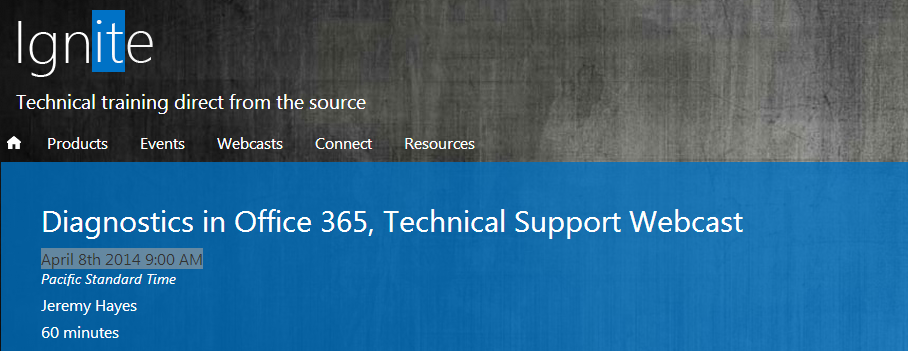
I recently wrote a post on Tools and Diagnostics for Office 365 and referenced about the Ignite webcast " Diagnostics in Office 365, Technical Support Webcast" scheduled yesterday and I got a chance to attend this great webcast and found it really useful to visually see few new innovations with O365 Diagnostics demonstrated by presenter Jermey Hayes MSFT.


During the session Jermey presented few important diagnostic tools available from Microsoft team to identify the common issues like MOSDAL, EXRCA etc. and also showed us how the O365 Admin portal is enhanced for submitting support cases wherein now it  provides appropriate solutions for an issue when you start to submit the case in first place with required resources to make the Admin himself resolve the issue if possible before approaching the support and also discussed on few other vital topics. The most important one to consider is the "Office 365 Readiness Wizard" where Jermey explained its significance and showed a real demo for audience, over which I wrote this post here today.

This Office 365 Readiness Wizard is a great tool which runs from the O365 Portal and collects vital information about the Environment automatically and analyzes it and provides you the result whether your Environment is ready to move to O365 or not. Tool lists the potential requirements and issues that needs to be addressed before you take the migration path effectively. When you start the test you two modes to execute one is for Basic tests and the other one is the Advanced test which is recommended one for Hybrid deployment to Analyze the complete environment and make sure we are ready to move on.

More information on the Tool is found here : Office 365 Readiness Wizard

You must meet the requirements stated here to execute the Tool : Office 365 Readiness Wizard Requirements

Jermey said at present the Tool runs only on IE with the latest version and soon the Other browsers will be supported and no ETA on this as of now, which is a pain point as we need to get a PC arranged with the stated requirements before we execute the Tool.  Below is the warning you will receive when  you execute the Tool from a machine that does not meet the requirements.


I requested Jermey to answer my question on using the Tool on a already deployed O365 Environment and he responded a big "YES" that we can run this Tool on an existing Environment which will run the checks and provides us a detailed report on how things are set now and also shows us if there are any issues that are beyond our eyes to make it addressed at the right time. I am in the progress of organizing a Machine which meets the Tool's requirements and will soon be running the test on my Hybrid Exchange Environment to see the status.  I wrote this post today to share the same with you so that you can schedule sometime to run this Tool on your Environment and see how things are setup and take necessary action.

* Take a quick preview on how to run this Tool and how it shows the results through the below recent post from our MVP Prabhat Nigam on his Msexchangeguru website.

Office 365: Steps to run tool “Check your office 365 configuration with OnRamp Autochecks

Also I suggested Jermey on updating the O365 Dashboard page Resources section with the link to "Tools and Diagnostics" web page available in the Community forum which will be a great add-on for Admins to know the tools available for Troubleshooting various issues with O365 and he took that suggestion and promised that he will discuss with the product team and I believe we can soon get it available.

If you missed to attend this session not to worry, soon the Presentation Slides and Recording will be made available and you can access it through the same Ignite webcast event page referenced and get to know things better visually.

Tuesday, April 08, 2014

What's New in Data Loss Prevention Ignite Webcast

Exchange Server 2013 is a robust product which provided many great features with its release and the most notable one is the Data Loss Prevention. I wrote a blog post "Data Loss Prevention with Exchange Server 2013" earlier with the available resources when I came across the feature, which is a good read to begin and with the new release of Exchange Server 2013 SP1 more innovations are added to this feature which took it to the next level, check this EHLO Blog post " Data loss prevention in Exchange just got better " to know the new features, If you want to see things visually from Microsoft team in action then make yourself available for the next upcoming Ignite Webcast Event on this topic scheduled this Thursday April 10th 2014 9:00 AM PST.


Access here: What's New in Data Loss Prevention

Monday, April 07, 2014

Last day for Legacies!!!

Believe everyone is aware about the support end date of Microsoft Windows XP, IE8, Office 2003, Exchange Server 2003 and Exchange Server 2010 SP2, which is tomorrow 8th April 2014  and post this date this products become unsupported and Microsoft team will not assist or update these software post this date and all you can do is to get things moved faster to the next supported version or the latest one at the earliest if you have not started the upgrade yet.


Today I am writing this post here for your recap referencing my old posts and few vital posts on the topic which will be useful for you to know more and  begin your upgrade path from these legacy versions to the supported versions.

Review these below posts to know more:

The below one is the first post I wrote when I came to know about the deadline of these products way back last November.

The End is Near for "Legacies"...

Below post outlines the Vulnerability with Windows XP.

Will You still Continue to use XP after Reading this?

Below are posts which provides you latest update with Windows XP and the ways of upgrading to the next supported Version in detail.


* So, Windows XP is dead. What are my options now?

Microsoft issues final Windows XP, Office 2003 patches

* Many Microsoft Products Losing Support After April 8, Not Just Windows XP

Below article bids farewell  for Office 2003 and answers user's FAQ.

Farewell Office 2003

I wrote this below post referencing MVP Tony Redmond's  post over IE 8 Compatibility issues with Office 365 for OWA and this throw some light to review the new updated Requirements with Office 365 to move forward to upgrade the IE version. Along with Windows XP,  Internet Explorer 8 exiting out of support on this same day and this is a wise move start thing during that time, I also recently added one more vital post on this blog post over the availability of  new IE11 " Enterprise Mode " Which provides some Compatibility features for accessing Legacy webpages and makes a  feasible way to upgrade the Browser version. 

O365 - Upgrade your IE

Finally, Our Microsoft Exchange Server 2003 has reached its end of Extended support along with the above ones the same day as stated, and this is everyone's  all time favorite version of Exchange Server where innovation begin and I also started my Exchange Career with this version and continued the Journey till date. Moving out of Exchange Server 2003 is not easy for most of the Organizations but Microsoft team provided long time Service for the product and its time to move on.  Also Microsoft team provided possible ways to Upgrade to the new supported Version of the product starting Exchange 2007/2010 and now to Office 365 and you will not be able to upgrade to Exchange 2013 directly from 2003 which is a known fact, and below articles are really good resources and contains vital references which provides you some more information on the topic and make you gain necessary knowledge and shows you the tools required to start your migration.

Transitioning from Exchange 2003: It's Harder Than You Think


Sunday, April 06, 2014

Additional Office 365 CNAME record!!!

I was reading few vital articles and requirements on Exchange Hybrid deployment to wrote a new blog post on the topic which I promised for readers a while ago in my earlier post where I referenced the Exchange 2013 Hybrid Help file. Let's come to our topic, while reading I took a look at the External DNS record requirements for Office 365 and found a new CNAME record named MSOID was added recently and I did not get a chance to see this record till today unfortunately and also did not created this record on the Hybrid Environment I manage and while reading more on this new requirement I was amazed to know this record is quite a vital one which is needed to speed up the authentication response time for users based on their location with O365 Identity platform and Microsoft made it a Mandate one now and I will be planning for a new change and doing this soon on my environment, sharing this here for you so that you can take a look at this and add it to your External DNS if not added till date.


Below is the quick preview:


Review the Need for the Record here : What’s the purpose of the additional Office 365 CNAME record?

Review the updated External DNS requirements here: External DNS records for Office 365

Saturday, April 05, 2014

PowerShell 5.0 Preview now Available!!!

Microsoft team recently released the new Windows Management Framework 5.0 Preview which includes various updates and new innovations as stated below, the most important one to note is the availability of Windows PowerShell 5.0 and this can be installed on Windows Server 2012 R2 and Windows 8.1 and on the Exchange Server perspective we can install it on Machines running Exchange Server 2013 Sp1 and Exchange Server 2010 SP3 UR5, Review the system requirements to know more on this requirements and also the key point to note as stated in the Additional details section, this is a preview release and things may change with the actual release in the future date.


This release includes new features and functionality in Windows Management Framework 5.0, including the following: 

  • Windows PowerShell 5.0
  • Windows PowerShell Integrated Scripting Environment
  • Windows PowerShell Desired State Configuration
  • Network Switch Cmdlets
  • OneGet

Download here : Windows Management Framework 5.0 Preview 

Update:  Windows Management Framework 5.0 Preview May 2014  released with some new updates and add-ons.

Thursday, April 03, 2014

Tools and Diagnostics for Office 365

Microsoft team is good at innovating new enhancements to their existing product line and also good in providing proper support mechanism for those products. Most of the troubleshooting tools and guided Walkthroughs are already available for most of the issues around the community, which makes Administrators to identify and troubleshoot the issue easily and also ensures Administrators can take the necessary steps that could resolve the issue by themselves, before reaching to the Microsoft support which essentially makes the life easier, provided we need to have the adequate knowledge on the product we support which we all have and all we need is to know the right tools available and their usage.


Office 365 is the most important product line for Microsoft as its their major Cloud Service Offering which makes them dominate the IT Market now, and being a Office 365 Administrator I know how the Service works and the issues we could potentially face and the right tools to use to resolve issues on time. I got the opportunity to handle various issues within Office 365 product line and worked with Microsoft Premier Support at various instances and resolved most of the issues with mutual troubleshooting and gained rich support experience for a quite period of time.

The best way I would suggest for Administrators is to do more on our part first to analyze the issue and try to fix it with the available resources, doing this will give you more strong knowledge on the product and if it gets beyond your hands request for Microsoft support with the required details needed by them handy to assist you on time and to speed the resolution process. Imagine if we have a common place where we can get the right tools available handy to get half of the work done at ease, I am referring to the below excellent Office 365 Tools and Diagnostics Wiki page this contains all the necessary tools and guided Walkthroughs for troubleshooting various issues roofed under a single window, along with related resources to know more on them and also you have access to common issues and fixes when you check the Troubleshooting section referenced in the page by selecting your appropriate service plan and the issue for which support is needed.

I recently came across this wiki page and found it to be a great resource and writing this post to share the same with you.

Access the Wiki here : Tools and Diagnostics

Additionally, get yourself ready to attend the upcoming webcast on the topic " Diagnostics in Office 365, Technical Support Webcast"  from Microsoft Ignite community next Tuesday April 8th 2014 9:00 AM PST to know more on the diagnostics available with Office 365 explained in detail, clarify your queries with the expert there on live and provide a rich support experience to your users.


View here: Diagnostics in Office 365, Technical Support Webcast

Hybrid Cloud Series - Episode One Webinar

Cloud Computing is now ruling the IT world, Hybrid Cloud is the most optimal one and the preferred one for Larger Enterprises and I have wrote more posts on this earlier when I start researching on this topic and you can check my Cloud Computing Section to review the posts shared earlier which will give you some insight on the topic.


Microsoft team is now concentrating on providing enhanced service to the customers with their new moto "Mobile First, Cloud First" and transformed the current IT industry to the next level and still continue to innovate more on both ends of the Market, This post is written here to share about the upcoming webinar from Microsoft Cloud Team on Hybrid Cloud scheduled on Thursday, April 17th, 2014 from 10:00 A.M. – 11:00 A.M. PDT. and this is the first webinar in series and we can expect more episodes in the upcoming days.

This Webinar is a quite a informative one and  must attended one as we are getting chance to listen on Hybrid Cloud concepts directly from the key people Microsoft Technical Fellow Mark Russinovich and Microsoft Corporate Vice President Brad Anderson leading their Cloud business.

Register here : Hybrid Cloud Series - Episode One

*This great session completed successfully sharing great information on the new innovation and the future of Microsoft Cloud Computing and its now available on demand for registered users, Also you can get to know what was discussed on the Webinar in a nutshell with the help of the below excellent Redmond Magazine post below.

Check here: Microsoft Execs Offer the Case for Hybrid Cloud

MEC 2014 Completed!!!

MEC 2014 completed successfully, Microsoft team made this event larger than ever before and announced few more innovations during these days and show cast their innovation and best practices guidelines to the experts around the world and also our own experts delivered sessions which added some more value to the conference we knowledge is shared across both ends of the Technology, soon the recorded sessions will be available for our visibility.


The latest EHLO blog post MEC 2014 wrap-up updates some more on this clearly, When you review the article Microsoft team has created an excellent documentary film " Exchange Through the Ages "  on the evolution of Exchange which is a must watch for all readers.


Additionally, Our MVPs who attended and delivered sessions this time in MEC 2014 started to write posts on their experience in their blogs and soon we can get more information from them one after the other, which will give us a idea where our Technology is marching towards and once the MEC sessions are available we can review them with some insight provided to us already by our experts.

Check the below posts from our MVPs sharing their MEC experience to readers.

This was MEC 2014 (in a nutshell) - Michael Van Horenbeeck

Microsoft Exchange Conference 2014 finishes on a high -  Tony Redmond

The colorful side of MEC 2014: All the stuff that makes a conference - Tony Redmond

 MEC RECAP – It was great - JaapWesselius 

MEC 2014 Wrap-Up - Michel de Rooij

MEC 2014 wrap-up by the numbers - Paul Robichaux

Below is the script to download the MEC 2014 sessions created by MVP Paul  Robichaux

Script to download MEC 2014 presentations

One more script to download the videos and slides


Download All Videos and Slides from MEC 2014 - MVP Peter Schmidt

Update:

* MEC2014 sessions are available for audience at Channel9, Lets review and experience the Technology, check out the below EHLO blog post on the same and access the Channel9 MEC 2014 section and start your learning.

MEC 2014 Recordings are here!

Tuesday, April 01, 2014

Deployment guide for Office 2013

Microsoft team recently released the Office 2013 Deployment guide, Office 2013 is on the move now and most Organizations already deployed Office 2013 on to their environment and few or in the progress of rolling out this new Office to the users, deployment of Office with this version is made simpler than traditional ways of installing the product and also we have more enhanced features available with this version when compared to its predecessors.
 

This guide is a must have for all Administrators who want to deploy and manage Office 2013.

 
Download here:  Deployment guide for Office 2013

Monday, March 31, 2014

New Features for Office 365 this week!!!

As everyone know now the entire Microsoft Exchange Community is available in MEC 2014 and this time Microsoft made it large as ever before by including sessions from various Experts around the world covering both ends of the Technology and more discussions on the product line taking it one step further in the IT world, with this being said today Microsoft team updated their Office blog with a new post covering the latest innovations for this week from the team for Office 365.


Microsoft now majorly concentrates on providing rich user and administration experience, and bringing up a unified platform where  users can get access to what they need from any of the application they use seamlessly and also key innovations towards the social networking making it a robust product with the future Technology.

This latest post covers some key features listed below adding more value to the product and these will be rolled out soon to customers and we can expect much more in mere future.

Clutter, New Outlook Web App feature for managing large volume of emails in the box by recognizing which email is needed and which is not, using the user input intelligently and cleanup the mailbox at ease with Office 365.

Enhanced document collaboration, where user can now attach files from One drive for Business either in the form of attachment link or as a direct attachment from One drive  and provide permissions for the documents and also now group editing is possible on the document saved to One drive and shared to users  from anywhere from anyone who have access and we can easily differentiate the one with the help of versioning and also you can do real-time co-authoring on a file with Outlook Web App without having multiple copies created.

Groups, a new innovation from Microsoft with the help of Yammer where you can have groups created anywhere in office 365 and manage the groups and the same can be available in  Yammer, Exchange and SharePoint with the help of integrating group membership across these products delivering a unified experience for users from any application they use.

OWA for Android phones, Now mobile devices is everywhere and to have a seamless experience for users to access OWA on their Android mobile devices released the new app today, Microsoft made the app already available for other mobile platforms and this innovation covers that you can now access your email anywhere in any smartphone device which revolves around the market.

Read the complete blog post here: The evolution of email

Official Announcement here : Embracing cloud-first, mobile-first communications

More about these features will be show cast by Microsoft team in MEC 2014 and we can expect more details on these once the sessions are completed from Microsoft and also from community members in the upcoming days, stay tuned...

Additional Bytes...

*One more new innovation from Microsoft team was getting released today named ENVI an Intelligent E-mail companion, check out more on this in the below EHLO blog post

Bringing predictive email to the workplace

Friday, March 28, 2014

SharePoint Online Management Shell

When it comes to Office 365 most of the Organizations utilize the benefit of Exchange Online, Lync Online, SharePoint Online bundled together with their Enterprise Subscription, and all these products supports both fully Cloud and Hybrid deployment model this the beauty of Microsoft product where they can function flexibly and also integrate with each other for rich experience and also Microsoft team  continue innovate all of their product line seamlessly which is an add-on benefit when you use all of these services and When it comes to Administration we can manage these environments from our own desktops with the help of Windows Powershell by installing the appropriate Online module at ease.


I have already covered about Exchange Online and Lync Online Powershell module in my earlier post, and today I am sharing about the SharePoint Online powershell module, yesterday Microsoft team published the updated version of SharePoint Online module and made available for download and you can install this same as the other modules to your machine and manage the SharePoint Online Environment.

Download here: SharePoint Online Management Shell

Access the below Office blog post for some more information,

Introduction to the SharePoint Online Management Shell

One more vital post from MVP Rene Modery with real time demo available below explaining the new cmdlets in action.

New options in the SharePoint Online Management Shell PowerShell cmdlets


Thursday, March 27, 2014

Today is a Great day in Microsoft!!!

Today is a great day in Microsoft History, where they moved one step forward in proving that, they do what they say. As all of us know their Mantra now " Mobile First, Cloud First " and as a first step, today they released the long waited Office for Ipad and also the new Enterprise Mobility Suite to the consumer world by Microsoft CEO Satya Nadella after he came to this position in a short span of time. This clearly shows Microsoft now has a strong leadership team and consistently innovating their product line and much more is yet to come, which we can see from Satya's speech towards the Organization future Road-map and all this shows that they are going in the right direction to reach beyond their regular goals by making their consumers at all ends happy day by day in this empowered IT world.


There are more information available around and below is the collection of the key information updated today by Microsoft in their various blog posts, new feeds and Webcast session which takes you to the real time journey in seeing the future with Microsoft.


A cloud for everyone, on every device - The Official Microsoft Blog


To get things in a nutshell review the latest WindowITPro post from our Rod Trent 


Office for iPad | Training courses - Hans Brender's Blog