Wednesday, September 24, 2014

Time to Say Good Bye soon for Office on Demand from Office 365 !!!

Microsoft team recently made an announcement that starting November 2014 Office on Demand feature will be removed from Office 365 Subscriptions and provided few alternatives which is not quite comfortable in comparison with this cool feature which exists for a while now, Having an active Office 365 subscription and accessing Office Apps on Demand from any PC is a great innovation from Microsoft which just takes minutes to get the application launched from anywhere on demand to get the work done. This is really a sad news for Office 365 customers and everyone is now getting ready to say Good bye to this feature and looking at the feasible alternatives provided by Microsoft team.

Below is the main context taken from the Official Community forum Link on this announcement.

Starting November 2014, we will be removing the Office on Demand feature from Office 365 subscriptions including, Office 365 Small Business Premium, Midsize business, Enterprise (including equivalents), and Office 365 ProPlus.   To help improve how you and your users can continue to use your favorite Office application we recommend taking advantage of recent rich capabilities in Office Online, shared computer activation and Microsoft Azure RemoteApp.

Review the Official Announcement here: We’re making some changes to Office 365 ProPlus

Additionally review the below Redmond Channel Partner in depth discussion post with various key reviews over this announcement.

Microsoft Dumping 'Office on Demand' for Office 365

Saturday, September 20, 2014

EAC/Outlook Web App Issue with Google Chrome!

Believe most of you are already aware about the new EAC/Outlook Web App issue that's affecting majority of the crowd outside using the Latest version of Google Chrome 37 and above. Google has recently removed the support for showModalDialog API from version 37 which in turn caused issues to the pop-up dialog boxes appear with EAC and Outlook Web App and it applies to both Exchange 2013 On premises and Exchange Online.


MVP Tony Redmond has written an excellent blog post with more details on this issue in a nut shell, which brought this to light and most of the Organizations using latest version of Chrome are affected and utilizing the workaround provided in the referenced articles to address the issue.

Review here: Google kills showModalDialog API in Chrome 37 and does evil to Exchange 

One more excellent write up from Tony on his Exchange Unwashed Blog on this issue.

Chrome problem for Exchange due to Google haste and Microsoft inattention 


Along with this we have one more sad news that even Mozilla is removing the support for this API method from version 39 which is scheduled in June 2015.  Review the below post from Bharat Suneja MSFT to know more.

showModalDialog API is going away. Please Fix your Web sites and applications.

Microsoft team is made aware on this issue, at present the supported version of IE is working fine and not impacted, wherein other two great browser alternatives used to access these resources are impacted. Since Microsoft is suggesting us to use the latest version of 3rd party browsers, for example review the Office 365 Browser requirements this becomes quite important now as most of the Organizations would have upgraded these to latest version and affected by this issue, Soon we can expect some code changes within the Exchange product either with the upcoming future updates or with the next version of Exchange release to get this fixed.

Now we have an Official Microsoft Knowledge Base article published yesterday to acknowledge and address this issue. Workaround has been provided by extending the support for this API till next year April 2015 via registry tweaks. Also we do have a note that states this issue is getting addressed and updates to follow.

Certain pages or windows don't appear in Outlook Web App or in the Exchange admin center when using Google Chrome

If you are using Chrome 37 and above, for sure you are affected with this issue, either try not to update your users browser version to the latest or start using the workaround provided here to overcome this issue till we have a proper fix implemented.
 
 If you are on Exchange Online customer you can get a report of users using Chrome to access Outlook Web App / EAC using the New Client reports mentioned here by collecting the report against past two or more weeks and filter the results accordingly to get the user list and  take corrective action. For On premises Environment we don't have such reporting mechanism inbuilt as with Exchange Online and we rely on the IIS logs, we can parse these logs using Log Parser studio as explained here to get this report generated for our next course of action.

Update: 

Appointments reappear in OWA calendar as one Chrome bug is fixed - Tony Redmond MVP ( WindowsITPro)

Stay tuned for more updates...

Monday, September 15, 2014

Azure Active Directory Synchronization Services (AAD Sync) Reaches General Availability !!!

The new Azure Active Directory Synchronization Services (AAD Sync) Tool Reaches General Availability today and you can download the tool from Microsoft Download Center, refer the Technical documentation to know more and start using the Tool.


Today is a great day as this long waited tool reached General Availability after its beta days which is going be the next Directory Synchronization tool with advanced robust capabilities replacing DirSync and FIM+AAD Connector requirement for Office 365. Check out my earlier blog post Directory Integration Tools Feature Comparison to know what are the features currently available with this tool and what is going to be added in the mere future. 


Technical Documentation: Azure Active Directory Synchronization Services (AAD Sync) Technical Documentation

Here comes the Official Announcement from Microsoft, review the Active Directory Team Blog below.

Azure Active Directory Sync is now GA!

*Microsoft team released a new KB Article that addresses a key issues you could encounter when you run the AAD Sync Services Configuration wizard. 

Error: 80070005" when you run the Azure Active Directory Sync Services config wizard

*One more new issue with the workaround.


"Unknown error (0x80005000)" error when you run the Azure Active Directory Sync tool Configuration Wizard

*Get to know how to perform a Manual sync with AAD Sync Tool.

AADSync: Forcing/Manual Syncs

*Review the below Excellent Walk-through post from MVP Jesper Stahle on implementing AADSync and synchronize objects in a Multi-forest environment to Azure AD and also a quick preview on its Attribute filtering feature.

Hands on with AADSync (RTM) – a Guide to Multi-Forest AD Synchronization and Attribute Filtering

As usual deploy this Tool in your lab Environment before you head for production,  Watch out this space for more updates ...

Sunday, September 14, 2014

SharePoint Hybrid Courseware and Curriculum

Lets Learn SharePoint Hybrid with SharePoint Server 2013 and SharePoint Online using this new "SharePoint Hybrid Courseware and Curriculum" from Microsoft.


Download the Slide Decks here: SharePoint Hybrid Courseware and Curriculum  Slide Decks


Access the Video Series here from Channel9: SharePoint Hybrid Courseware and Curriculum Video Series


Office 365 Video Collection Series

Office 365 is now popular everywhere in today's IT and Microsoft new Office Suite has expanded its reach to every corner of the world and gained major adoption than ever. Its always good to learn over these new great products and see how to use their new features and utilize them to their full potential in various key areas to enhance our work experience and increase the productivity. I recently came across an excellent Office 365 Video Collection Series where we have video lessons for every product in the Office family explaining their new features and functionality from beginner level to advanced, making it a one shop User learning resource for Office and Office 365.


Access the video Learning here: Office 365 Video Collection

Configure an Integrated Exchange, Lync, and SharePoint Test Lab Guide

Its time for us to review the Test Lab Guide to learn Step-by-step instructions to create a test lab containing integrated servers running Exchange Server 2013, Lync Server 2013, and SharePoint Server 2013.


Download here: Configure an Integrated Exchange, Lync, and SharePoint Test Lab Guide

Also Watch out for more Test Lab Guides from the below TechNet Blog...

Access here : Microsoft Test Lab Guides

Tuesday, September 09, 2014

Delve is coming...

Microsoft's most awaited innovation for Office 365 "Delve" has started to roll out to customers from today and people who opted for first release experience can enable and preview this in their environment and for all the E1 to E4 customers it will get roll out as standard release in months and we can expect it to get completed by early 2015 and for Office 365 Business Essentials, Business Premium, Small Business, Small Business Premium and Midsize Business customers, first release rollout will begin in January 2015.


Review the Official Announcement here : A milestone for Office Delve

Read the FAQ Section for more details and watch the quick video which explains how Delve will enhance your Search experience with the power of Office Graph and take your work experience to the next level.

Additionally, Review this below Walk-through post from Benoit Hamet MVP showing you how to enable this feature if you have opted for the first release programme.

Office 365 – Delve is now available in preview

One more Excellent Walk-through from Corey Roth MVP 

A quick look at Delve in Office 365

Microsoft Team is hosting Delve YamJam on Wednesday, September 10th from 9:00 – 10:00 a.m. PDT (4:00 – 5:00 p.m. UTC) to discuss on Delve and Office Graph announcements. Join the Delve group in Yammer to participate.

Update: 

New boards feature is now available for Delve as new innovation for Office 365 in Jan 2015.

Introducing boards in Office Delve—a new way to organize and share work

Sunday, September 07, 2014

Migrate Your Environment to Office 365 for Free...

I am writing this post with reference to the latest announcement from Microsoft team for Office 365, which is the hot topic discussed everywhere in the IT Industry, Microsoft has come up with a new offer to assist customers to migrate to Office 365 for free, They named this as Office 365 FastTrack Onboarding Center. Offer available only to New customers purchasing 150 seats or more of a qualified license purchase. Also this is a limited period offer effective from September 1 2014 till March 31, 2015.


Key features of the Office 365 FastTrack Onboarding Center:
  • Direct remote assistance provided by an Office 365 onboarding expert who will assist with critical onboarding activities working with customers and partners.
  • Robust suite of automated checks and configuration tools to enable tasks such as current state assessment, identity management, and domain configuration.
  • Onboarding support will be available in the following languages: English, Chinese, French, German, Italian, Japanese, Brazilian, Portuguese, and Spanish.
  • Available worldwide starting September 1, 2014.
Review the Official Announcement here :  Announcing Office 365 deployment benefits for new customers

Learn more on the Office 365 Onboarding Benefit Process from the MSDN blog post below


Check here: Office 365 Onboarding Benefit Process

Many Organizations are happy with this new offer from Microsoft and getting ready to move to Office 365, If you are planning to move to Office 365 then this is the right time to get things started. Time is running....

Saturday, September 06, 2014

Kerberos Authentication issue with Mixed Windows Server 2003 and Windows Server 2012 R2 Domain Controllers!!!

Windows Server 2003 is reaching its end of life soon which is a renowned topic, Most of the Organizations already started to prepare for the migration and there a plenty of resources, guideline and support published by Microsoft team to assist this migration. On the other hand its still not so easy to remove these Legacy servers from the environment if we still have some dependencies and most of the major Organization falls in to this category and to make things worse we have a new issue reported recently by multiple customers globally, which made a lot of environments who are already on their migration roadmap to get impacted and few to stop this migration, eventually caused when they have a mixture of Windows Server 2003 and 2012 R2 domain controllers co-exist in the environment.


When you have a mixture of Windows Server 2003 and Windows Server 2012 R2 Domain controllers in the environment serving the same domain causes Kerberos authentication to fail intermittently and users are unable to log on to the domain and it becomes bit difficult for the admins to troubleshoot as this issue occurs intermittently. Finally the bug was reported to Microsoft team and a fix was made available recently to address this issue.

Microsoft Active Directory team published a detailed information on the cause and workaround in their blog initially to update the Organizations on this new issue and to assist the Administrators who come across this issue in their environment and now its updated with the hotfix information. Reviewing this below post will provide you more insight on the issue.

Access the Blog post here: It turns out that weird things can happen when you mix Windows Server 2003 and Windows Server 2012 R2 domain controllers

Access the Hotfix here: Can't log on after changing machine account password in mixed Windows Server 2012 R2 and Windows Server 2003 environment

I am writing this post a bit late and this now become an known issue and reached the community, thought of updating this in my blog so that readers who reach here and new to this issue will get to know on this and utilize the available resources to take necessary action.

Directory Integration Tools Feature Comparison

Microsoft team now provides various synchronization tools to Sync your On premises Directory objects to Azure. I recently came across this MSDN article that provides feature comparison between each tool and showing us their current capabilities along with the future enhancements on its way.


Below are the tools that are compared in this article
  • Azure Active Directory Synchronization Tool (DirSync)
  • Azure Active Directory Synchronization Services (AAD Sync)
  • Forefront Identity Manager 2010 R2 (FIM)
Dirsync is the common tool that is used with Office 365 and with the latest version few new features added and they are covered in this article. FIM is used with Complex multi-forest scenarios and still few Organizations utilizes this in their setup. Finally, AAD Sync which is the latest tool still under beta and will soon be reaching its General Availability and replace Dirsync and FIM requirement with its robust capabilities.

This article is categorized as shown below, Available features under each category is compared between the tools.
  • On-Premises to Cloud Synchronization
  • Cloud to On-Premises Synchronization
  • Authentication Feature Support
  • Set-up and Installation
  • Filtering and Configuration

Access the Comparison article here:  Directory Integration Tools Feature Comparison

Friday, September 05, 2014

What does "Federation" means in Office 365?

The term "Federation" refers to the relationship between two different Organizations, where they mutually agree up on some standards and decide to share their resources with each other.  This is a common term used in today's Technology and when it comes to Office 365 we have this used at various areas and its good to know what they are and how they work.


Federation with Office 365 as said above falls in to the 3 categories as shown below.
  • Identity Federation 
  • Federation Trust 
  • Lync Federation
When you are an On premises Exchange Customer and denote that your federation is not working, this will normally refer to the Free/Busy lookup not working with your partner Organization and the same applies to On premises Lync where this eventually point out to traditional Lync Federation issues with external partners. From my experience very rarely we will come across Identity Federation issues with ADFS or with any other equivalent identity platforms in a On premises environment. So, when we have all of these platforms available at one place bundled together with Office 365 and you use this phrase " Federation issue" its not clear to which one you point to and we need to be specific when we quote this here to make things clear on the other end.

Identity Federation

When it comes to Office 365 most of the Organizations prefer Single Sign-on along with some granular control over their Identity management and rely on ADFS. To accomplish this we enable Identity Federation with Office 365 and when we do this our Domain becomes federated and the source of Authority for Identity Management becomes your On premises and your ADFS servers becomes the most critical components in the Entire Environment to make things work with the Service.

Mostly when you say federation not working with Office 365, it refers to ADFS federation and below Office Blog post provides you more insight on this model. Also refer the Microsoft Knowledge base article that outlines how to repair and update the ADFS federation when you have issues.

Access here: Choosing a sign-in model for Office 365

MS KB : How to update or repair the settings of a federated domain in Office 365, Azure, or Windows Intune


Federation Trust

When we say Federation Trust it points out to the Free/busy Lookups between two different Organizations federated with Microsoft Federation Gateway, this implies to Hybrid deployment where you have this federation Trust established between your On premises Exchange Environment and Exchange Online.

When you setup your Hybrid deployment this Federation trust will get created automatically between your Organization and Exchange Online from Exchange 2010 SP2 and later versions, prior to this with SP1 this was configured manually and with the latest changes soon MFG will be discontinued and the new OAuth protocol will be used to setup this federation and Organization relationship.

Review here for more information : Configure Federated Sharing

Follow this below Microsoft Knowledge base article to troubleshoot when you have issues with federated sharing.

Free/busy lookups stop working for users in a cross-premises environment or in an Exchange hybrid deployment

Lync Federation :

Finally, we have our Lync Federation, Federation process with Lync Online is similar to On premises Lync Environment where we establish federation with External partners, Additionally, we can have Lync Federation established between our On premises Lync Environment and Lync Online in a Hybrid setup. Review the below TechNet article and my earlier blog post to know more.

Configure federation of Lync Server 2013 with Lync Online

Setting up Federation with Lync On-Premises and Lync Online

Thursday, September 04, 2014

Administration Roles in Office 365

Office 365 administration can be delegated in terms of assigning users to the appropriate Admin roles available with the service for managing the environment effectively.


Office 365 admin roles include
  • Billing admin
  • Global admin
  • Password admin
  • Service admin
  • User management admin
Each Admin role has different set of access and we can utilize the below TechNet article to know more on each role along with its extension in each Online Service.

Access here: Administration Roles in Office 365

Sunday, August 31, 2014

Managing Exchange Online MVA Series

When it comes to Exchange Server Administration On premises we tend to rely on EMC with Exchange Server 2007 and 2010 environments and EAC with Exchange Server 2013 for GUI and our Exchange Management Shell (EMS) for managing all these environments in common from Command line. For most of the Administrators managing the environment using PowerShell seems to be an easy and a reliable way wherein few are still preferring the GUI for most of the common tasks. Eventually both of these becomes your daily bread and butter for managing the Exchange environment and the same are carried out for managing Exchange Online.


Exchange Online management is similar to your On premises management but you will not have a complete control over everything and managing things as you would do in your traditional On premises environment. Since all your Servers are hosted in Microsoft datacenters in Cloud you will have minimum control over their management this applies to both fully hosted and Hybrid deployment. Exchange Online on the other hand gives you the flexibility of managing most of the critical configurations and recipient management for your day to day activities using Office 365 Admin Portal and via Remote PowerShell connecting to Exchange Online.

Today I am sharing reference to two vital video series available from Microsoft Virtual academy on Managing Exchange Online through Online Console and PowerShell which will give you an Overview of how both the management methods help you to manage Exchange Online effectively and both the series shows some vital management tasks in detail. Review both of the these video series to get more insight on Exchange Online management.


Topics Covered
  •     Managing Exchange Online Using Microsoft Online Console: (01) Getting Started with Exchange Online
  •     Managing Exchange Online Using Microsoft Online Console: (02) Configuring Mail Flow
  •     Managing Exchange Online Using Microsoft Online Console: (03) Managing Recipients
  •     Managing Exchange Online Using Microsoft Online Console: (04) Managing Client Connectivity
  •     Managing Exchange Online Using Microsoft Online Console: (05) Configuring Administrative Security
  •     Managing Exchange Online Using Microsoft Online Console: (06) Compliance, Auditing, Journaling, and More
  •     Managing Exchange Online Using Microsoft Online Console: (07) Protection Settings

Access the Course here : Managing Exchange Online Using Microsoft Online Console


Topics Covered
  •     Managing Exchange Online Using PowerShell: (01) Getting Started with Exchange Online
  •     Managing Exchange Online Using PowerShell: (02) Configuring Mail Flow
  •     Managing Exchange Online Using PowerShell: (03) Managing Recipients
  •     Managing Exchange Online Using PowerShell: (04) Managing Client Connectivity
  •     Managing Exchange Online Using PowerShell: (05) Configuring Administrative Security
  •     Managing Exchange Online Using PowerShell: (06) Compliance, Auditing, Journaling, and More
  •     Managing Exchange Online Using PowerShell: (07) Protection Settings

Access the Course here : Managing Exchange Online Using PowerShell

Wednesday, August 27, 2014

Exchange Server 2013 CU6 Released!!!

Microsoft team released Exchange Server 2013 CU6 today along with Update Roll-up 7 for Exchange 2010 SP3 and Update Roll-Up 14 for Exchange Server 2007 SP3 with various fixes and new significant updates. Along with these traditional updates this time we have new Exchange Server 2013 CU6 UM Language Packs released as an add-on.

More information is available on the Exchange Team Blog posts referenced below along with the links for downloading the Updates and Issues Fixed Article IDs.
 

==============================================================================

Direct Download Link: Cumulative Update 6 for Exchange Server 2013 (KB2961810)

Issues fixed - Article ID: 2961810

Direct Download Link: Exchange Server 2013 CU6 UM Language Packs

=============================================================================


Direct Download Link: Update Rollup 7 For Exchange 2010 SP3 (KB2961522)

Issues fixed - Article ID: 2961522

==============================================================================


Direct Download Link: Update Rollup 14 for Exchange Server 2007 Service Pack 3 (KB2936861)

Issues fixed - Article ID: 2936861

==============================================================================

Also Microsoft team published an other significant blog post to provide us an insight on the new enhancements made to Public Folders with CU6 for Exchange Server 2013.

Public Folder Updates in Exchange 2013 CU6: Improving Scale and More

As usual first try to install the CU and Update Roll-up in your Lab environment and perform thorough testing to validate the Issues Fixed as stated under each update and also look out for any new issues you might experience to report to Microsoft on time and get it fixed before you roll out these updates to your Production Environment.

Update:

Unfortunately Exchange Server 2013 CU6 couldn't keep itself up to the standard as its predecessor CU5, It caused two major issues within few days post its release identified by our renowned MVPs. Microsoft acknowledged and confirmed that these are bugs from their end which caused a huge disappointment to the Exchange Community. Still Microsoft needs more testing and bug fixing on their end before releasing any updates to avoid unexpected issues.

Exchange Server 2013 databases unexpectedly fail over in a co-existence environment with Exchange Server 2007 - MS KB published with hot fix discovered by Ratish Nair MVP

Don't Deploy Exchange 2013 CU6 If You're a Hybrid Customer - Jeff Guillet MVP

Microsoft team released a new script that addresses the above problem updated by Jeff and fixes EAC for managing Exchange Online. 

Exchange Online mailboxes cannot be managed by using EAC after you deploy Exchange Server 2013 CU6 - MS KB published with the script.

One more new issue with ActiveSync with Exchange 2007 Co-existence environment after upgrading to CU6.


You cannot route ActiveSync traffic to Exchange 2007 mailboxes after you upgrade to Exchange 2013 CU6 - MS KB with Workaround

* One common issue with Exchange Server 2013 Litigation / In-place hold is identified recently and Microsoft team published a KB with the workaround.

Folder deletions are not preserved for mailboxes put on litigation or in-place hold in Exchange Server 2013 OWA

*One more new issue caused with CU6 below with the workaround 

Load balancer marks Exchange server as down in an Exchange Server 2013 Cumulative Update 6 environment

*Utilize this below script from MVP Michel de Rooij to install CU6 unattended, This updated script includes the above published fix for managing Exchange Online Mailboxes from EAC.

Exchange 2013 Unattended Installation Script

Tuesday, August 26, 2014

Migrating to a Hybrid Server Environment with Microsoft Azure

Microsoft Azure is the World's biggest and the best Cloud platform that's ruling today's IT World in Cloud Computing. Microsoft has made significant enhancements to Azure in the last few months that took Azure adoption to the next level making it one of the most prominent Cloud platform in the market that addresses the On demand needs of the customer and expands its features day by day adding more value to the IT business.


Microsoft team themselves migrated to Azure as they need to be their own primary customer in first place to evaluate the performance, cost benefits and reliability over the product through which they can tweak the product at various stages and also its a real time experience for them to understand things much better and show case the same to customers and provide them a service that meets their requirement.

As all of us know that we cannot completely rely on Cloud for everything and there are few dependencies with On premises and the best way to benefit out of the new Cloud platform and the existing On premises Platform is to unite them together in terms of "Hybrid" and mange both the environment seamlessly unified as one. Microsoft team used this Hybrid model with Azure and successfully moved their workloads to cloud.

Best thing about Microsoft is they do provide guidance in abundance when you plan to use their product or service that makes you gain the required knowledge and the prescribed guideline over which you can successfully test and implement their solution. The next good part is you can share your experience through customer or service improvements programme periodically over which the next version of the product is designed to address the needs of the customers on demand as "one size fits all" is not possible with the current Technology as its expanding in a rapid scale than ever before.

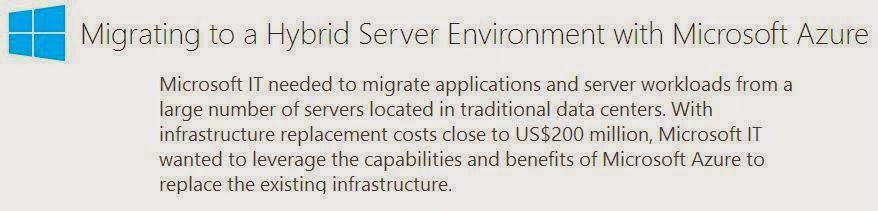
Today I write this post with reference to the new Business Case Study from Microsoft explaining how they successfully migrated their workload to Azure with Hybrid Cloud and provides you a clear understanding of how things occurred behind the screens during their migration, challenges faced and much more explained in a nutshell. I read this and found it useful and would say its a must read for Organizations and Administrators who are interested in adopting Cloud Computing to advance their knowledge and to know the benefits of Hybrid deployment with Microsoft Azure.


Download the case study here: Migrating to a Hybrid Server Environment with Microsoft Azure

Here comes the six part blog series  presenting how Microsoft IT is modernizing its datacenter showing the above said experience in detail.


Review the Series here: How Microsoft IT is Modernizing its Datacenter

Additionally, Microsoft team has provided various other resources that make you understand more on Hybrid Cloud and I would recommend you to review the below vital resources to know more on the topic, which puts you on the edge when you go through each one of these to experience the future of Cloud Computing with Microsoft Azure and a complete insight of how Hybrid Cloud is going to design the next version of Information Technology .

Success with Hybrid Cloud Series, Cloud Insights from Brad Anderson, Corporate Vice President, Enterprise Client & Mobility

Access the Table of Contents here: Table of Contents: Success with Hybrid Cloud

Hybrid Cloud Webinar Series, Live Interview series on Hybrid Cloud with Microsoft Technical Fellow Mark Russinovich and Microsoft Corporate Vice President Brad Anderson

Access the On demand Video session from Channel 9 here: Hybrid Cloud Series